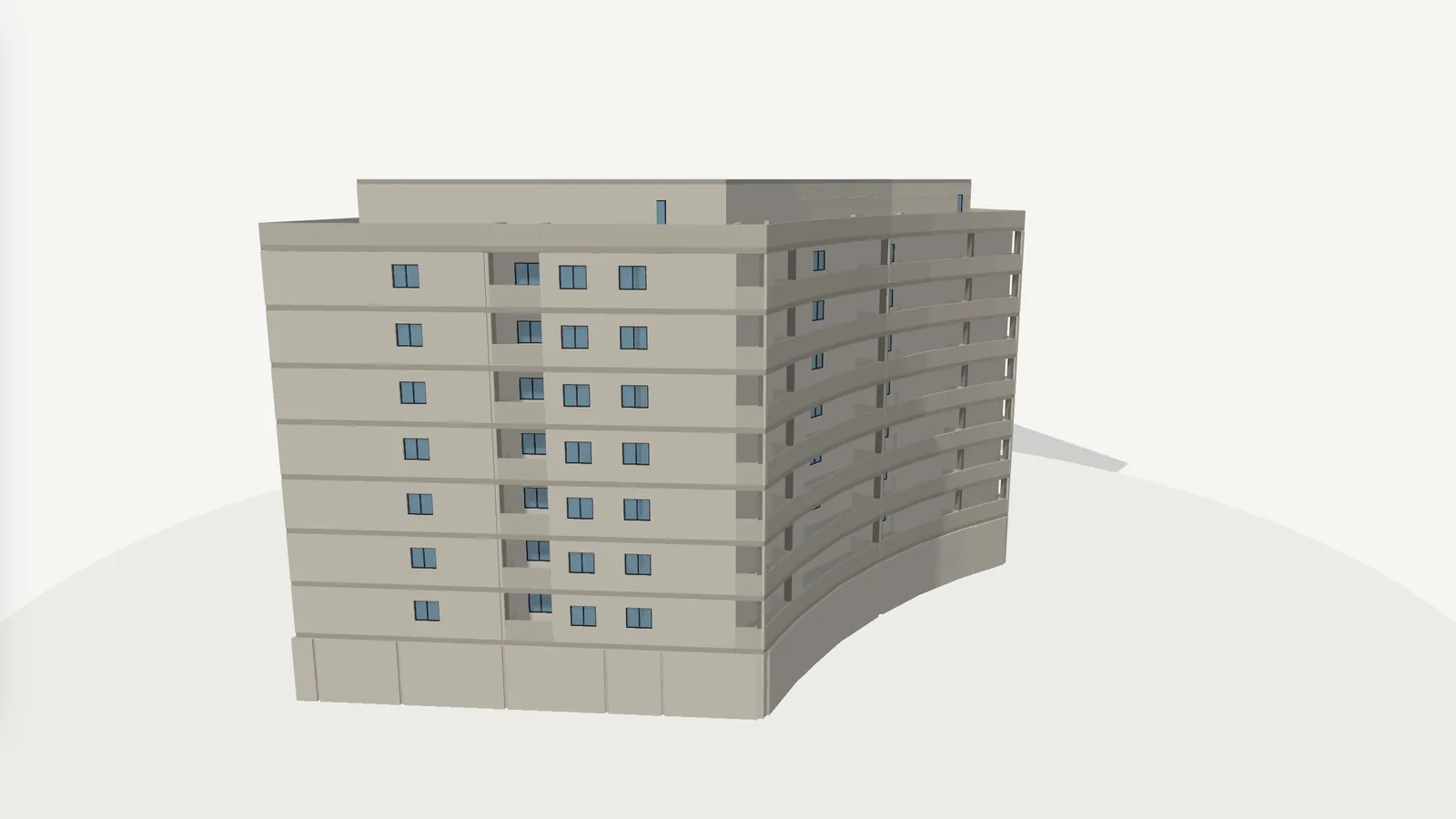
Interactive 3D building with one home lit up and its price card
3D SHOWROOM · OPEN DEMO
← Part of: 3D showroom for new builds — PROPERTY DEVELOPERS · INTERACTIVE 3D BUILDING

An interactive
3D building
for choosing a home.

The buyer stops trying to imagine the building from a floor plan. They move the mouse and each home lights up in its place, with its floor, its orientation, its neighbours and its price. They separate the floors and see how each one is laid out.

— WHAT HAPPENS TO YOU

“Does 4C
face the street
or the courtyard?”

The question arrives on WhatsApp with a screenshot of the floor plan. The sales rep answers that it faces the street, the main façade, but the buyer does not know which façade is the main one or what is opposite. They ask for another photo. Then they ask whether 5C would have better views.

A floor plan explains a home, but it does not place it. It does not say how high up it is, whether there is a building in front, whether the living room faces the same way as the neighbour's, or why 4C costs more than 4D. The buyer has to imagine all of that, and everyone imagines it differently.

The scale model in the sales office only solves it for whoever visits, and it does not change when a home is sold. The 3D building solves it on the buyer's screen, at any hour and with availability up to date.

— WHERE THE SALE LEAKS AWAY

Sentences you hear
every
single week.

“Which floor is it on?”

The plan does not place the home

A floor plan shows the layout, but not the height, the façade or what is around it. The buyer has to build the building in their head from a render of the façade and a handful of screenshots.

What it costs youHomes ruled out because of a wrong idea of where they are.
“Why does C cost more than D?”

Price differences nobody understands

Height, orientation, terrace or a corner position justify a different price, but you cannot see any of that in a list. Without seeing it in the building, the difference looks arbitrary and gets argued over.

What it costs youNegotiations over the price of homes that are worth what they cost.

“What is next door?”

Nobody sees the neighbouring homes

Who shares the landing, whether there is a home above or below, whether the living room looks onto a courtyard: these get answered verbally and then forgotten.

What it costs youDoubts that come back during the visit, or that never make it to the visit.

— HOW IT IS SOLVED

Every problem,
with its
answer.

Everything you see is in the open demo. The prices, availability and contacts shown in it are examples.

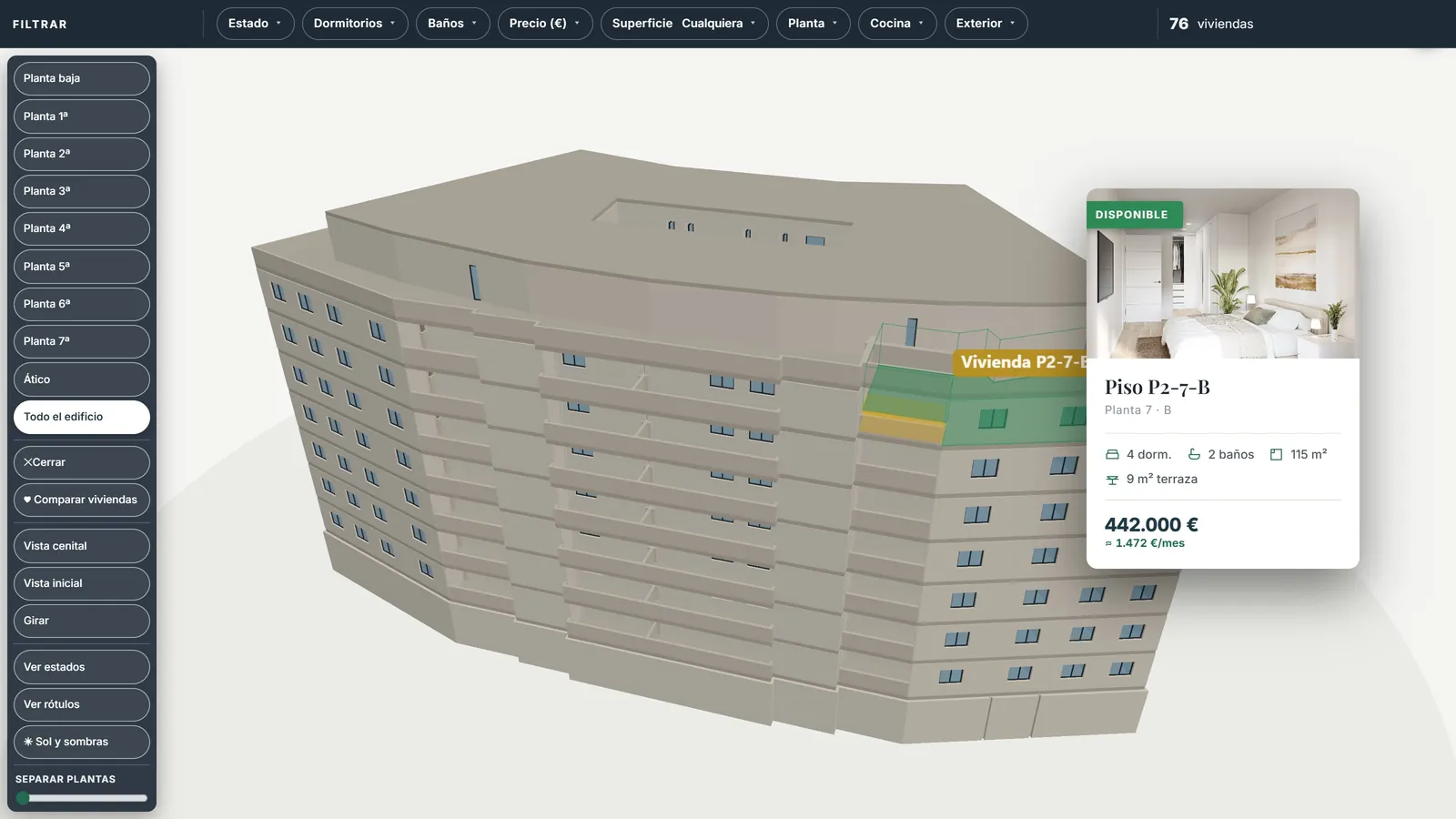
3D building with the seventh-floor home lit up and its card showing render, bedrooms, floor area, terrace and price
Answers · “Which floor is it on?”

Each home lights up in its place

The buyer moves the mouse over the building and the home is highlighted with its card: render, status, floor, bedrooms, bathrooms, floor area, terrace, price and indicative monthly payment. One click opens its sheet with the floor plan.

A card for each home on hover
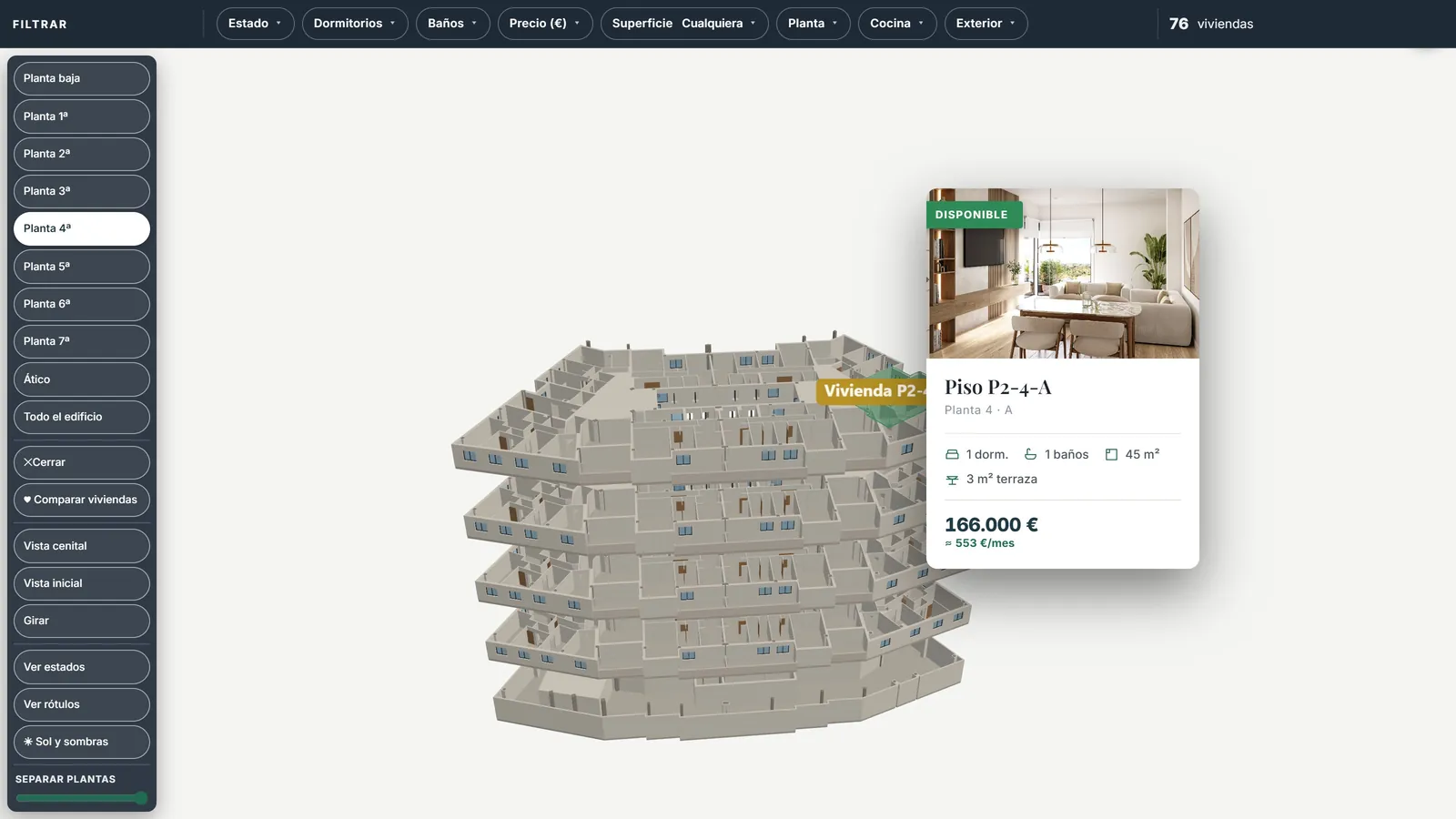
3D building with the floors separated and the fourth floor isolated to see its layout
Answers · “What is next door?”

Separate the floors and isolate each level

A slider opens the building floor by floor and the buttons isolate each level, from the ground floor to the penthouse. The buyer sees the layout of the floor, the position of their home and those of their neighbours before asking for information.

Separate floors · isolate levels
3D model of the demo residential building, with a ground floor, seven storeys and penthouses
Answers · “Why does C cost more?”

Rotate, zoom in, show status and labels

The building rotates and zooms, with a top-down view and an opening view. “Show status” colours available, reserved and sold homes; “Show labels” displays the name of every home at once, so the difference between C and D can be seen instead of argued over.

Top-down view · status · labels
The showroom's 3D building on a phone screen, with the floor buttons
Answers · “Send me a screenshot”

The same building on a phone

The building works the same on a phone: you touch it to explore, with the floor buttons underneath. It is the link the sales rep sends on WhatsApp instead of a screenshot of the plan.

Desktop, tablet and mobile
— TRY IT NOW

Walk through it
like a
buyer.

Open the demo, scroll down to “Choose your home” and move the mouse over the building. Then drag the “Separate floors” slider and press “4th floor”.

An open demo, with no password and nothing to install, on desktop, tablet or mobile. Residencial Alborada is a fictional development with example data; if you leave your details in it, they come to us.

— PRICE AND NEXT STEP

Your building, home by home

You do not need an existing 3D model: we build it from the floor plans and orient it to true north. In 30 minutes we show you how yours would look.

A fixed price per development

A set-up fee and a monthly fee for as long as the development is being sold. We study your development and give you the price in writing before we start.

  • What it depends onThe number of homes in three bands (up to 30, 31 to 60 and 61 to 120), with or without the 3D building, and whatever you want to add: sun and shadows, furnished 3D floor plans, an interactive elevation or a new phase.
  • What we provideThe showroom with your development, your brand and your data, embedded in your website, with the lead dashboard and a training session for the sales team.
  • What we ask forFloor plans (DWG, PDF or IFC), the list of homes with floor areas, renders, prices and availability, and your logo. If the development has no images yet, we can also produce renders and animations.

Would you rather talk it through? Call or write on WhatsApp to 662 061 421 or write to grup3d@grup3d.es.

— FREQUENTLY ASKED QUESTIONS

What we
get asked.

Do we need a 3D model of the building to start?

No. We build it home by home from the floor plans in DWG, PDF or IFC. If a 3D model of the project already exists, we use it.

How detailed is the building?

It is a model designed to place each home and to navigate quickly on any device: massing, façades and each home as a volume that lights up. Interiors are shown with renders, plans and, if there is one, the 360° tour of the show home.

Does it work on mobile and tablet?

Yes. On a phone you touch to explore the building and the floor buttons sit underneath; on a tablet or desktop it can be opened full screen.

Can it be used in the sales office?

Yes. Full-screen mode gives the 3D the whole screen with the filters on top, designed for the office, the rep's tablet and client visits.

What if the development has a second phase?

It is added to the same showroom: new cores, floors or layouts, without starting from scratch.

How much does it cost?

It is a fixed price per development: a set-up fee and a monthly fee for as long as the development is being sold. It depends on the number of homes (three bands: up to 30, 31 to 60 and 61 to 120), on whether it includes the 3D building and on what you want to add, such as sun and shadows, furnished 3D floor plans or a new phase. We give it to you in writing before we start, with no commitment.