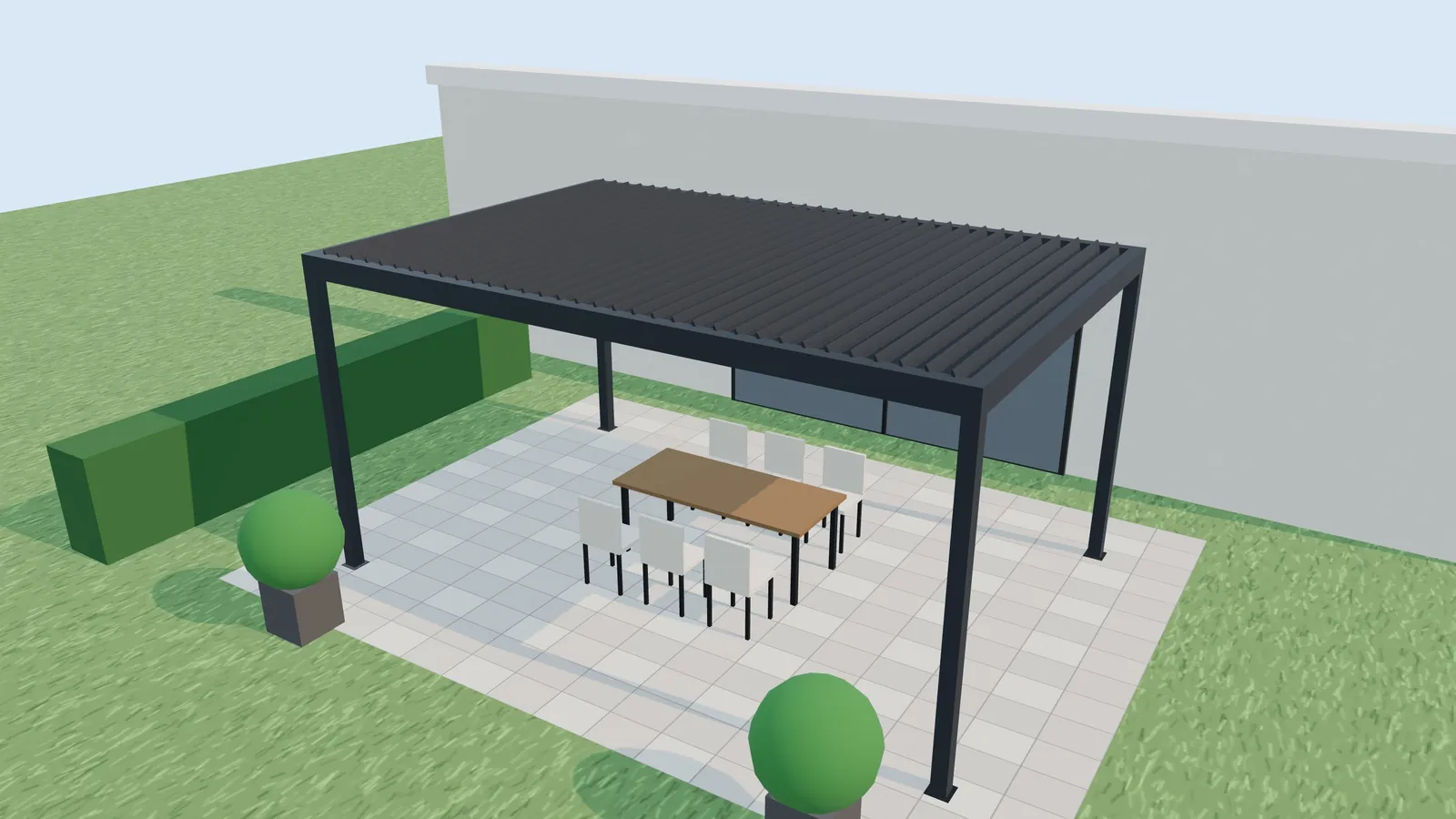
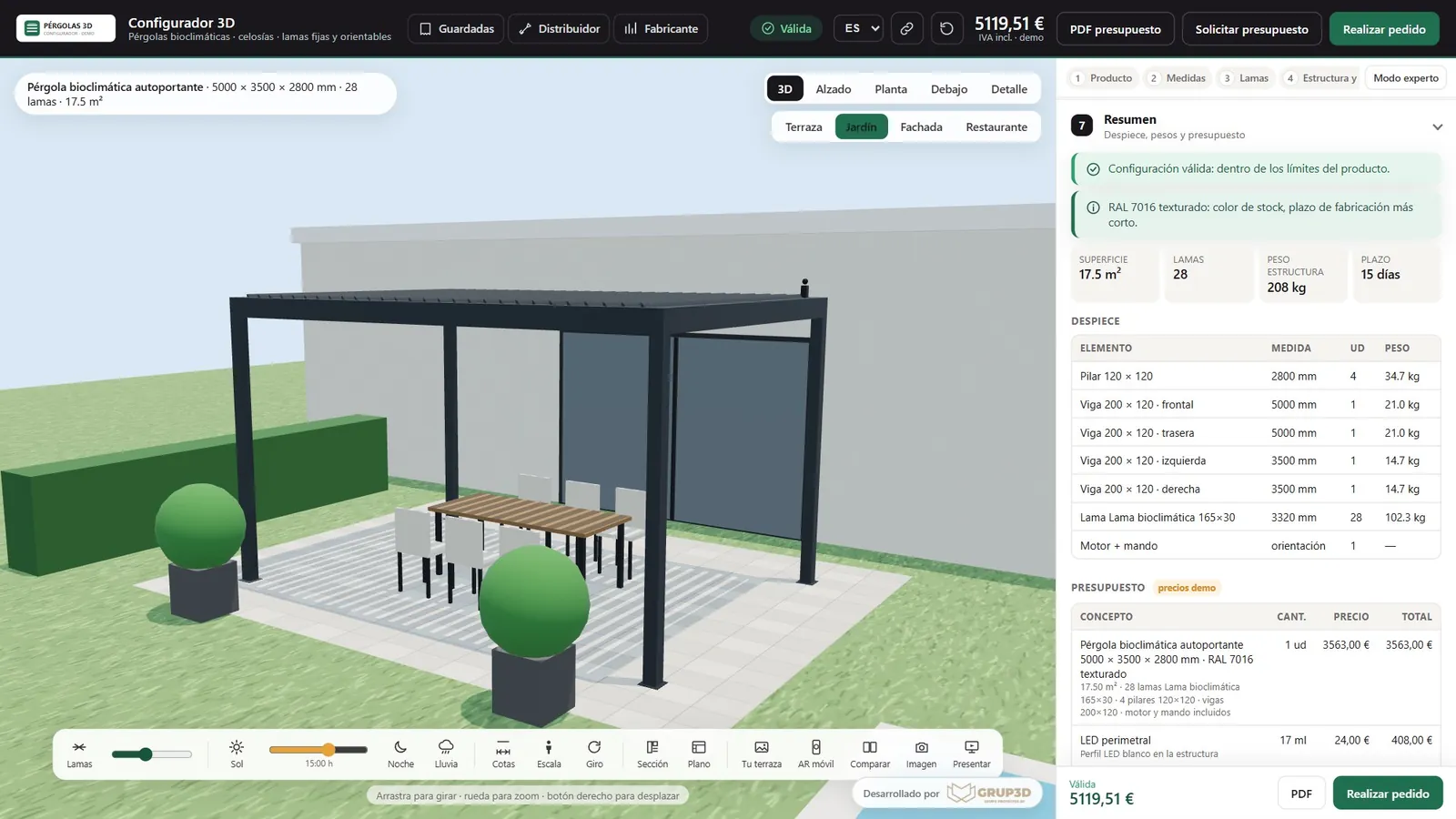
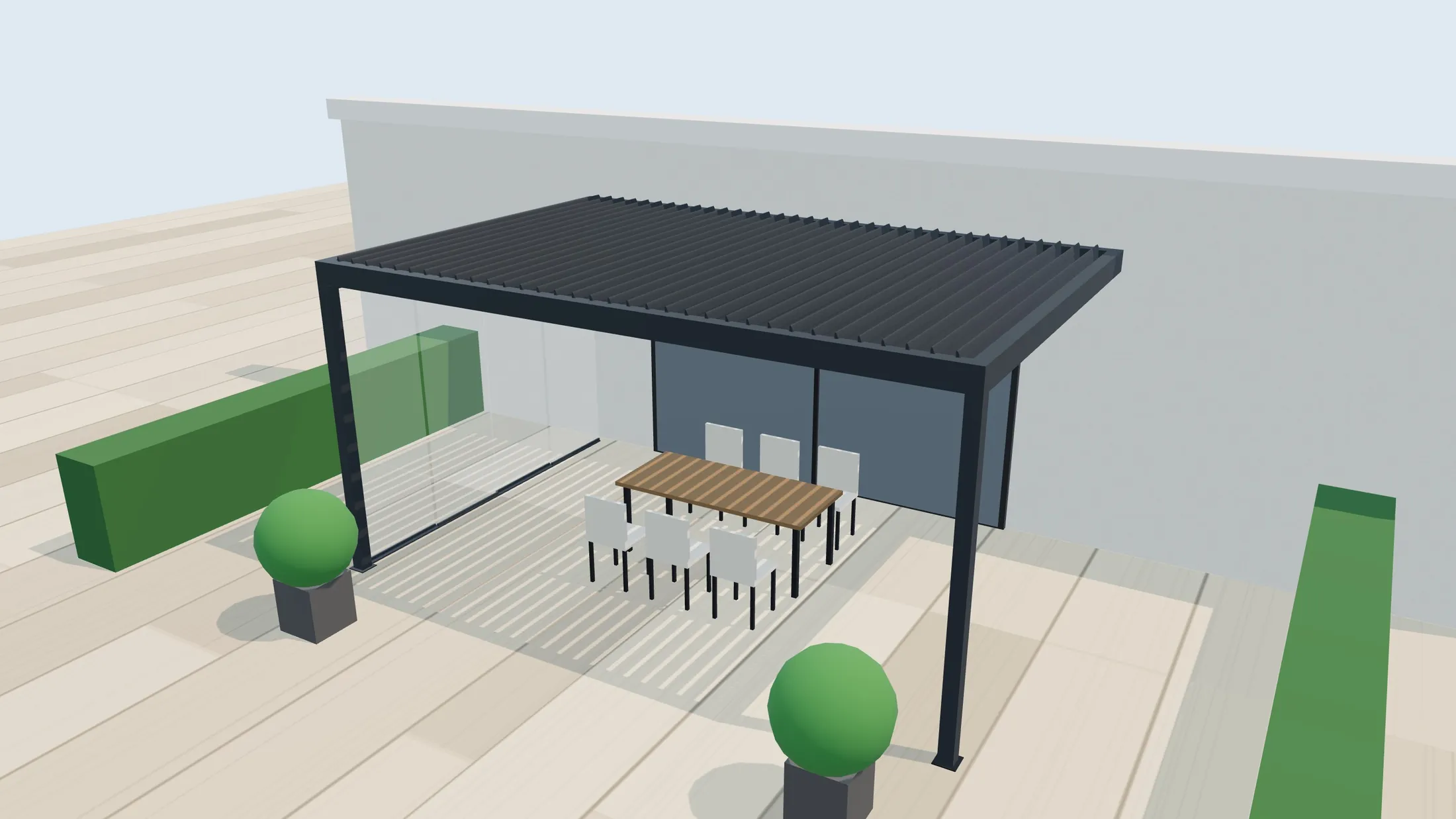
An aluminium bioclimatic pergola on a terrace, generated with Grup3D's 3D pergola configurator
PERGOLAS · LOUVRE SCREENS · LOUVRES · PRIVATE DEMO
— FOR MANUFACTURERS AND DISTRIBUTORS

3D configurator
for pergolas
made for manufacturers.

Your customer designs their bioclimatic pergola, their retractable pergola or their louvre screen in 3D, with sizes your factory can actually produce, an instant price and augmented reality on their own terrace. What reaches you is a contact with everything defined, ready to quote, manufacture and install.

— WHAT IT IS

What a
3D pergola
configurator is.

A 3D pergola configurator is a web application where the customer chooses the type of pergola, enters their sizes and picks louvres, structure, colour and extras while seeing the result in 3D. Every decision is checked against the manufacturer's production rules and turns into a price, a drawing and a parts list.

For the manufacturer it is not a pretty catalogue: it is a sales and production tool. It filters out impossible sizes before they reach the technical office, produces the quote without redoing calculations by hand and hands the factory a parts breakdown consistent with what the customer approved.

At Grup3D we develop it bespoke, on a base that already works: bioclimatic and retractable pergolas, adjustable and fixed louvre screens, shutter-style louvres and continuous fixed louvres (brise-soleil), with their infills and options. The demo uses an example catalogue; on going live, your catalogue, your rules and your price list are loaded.

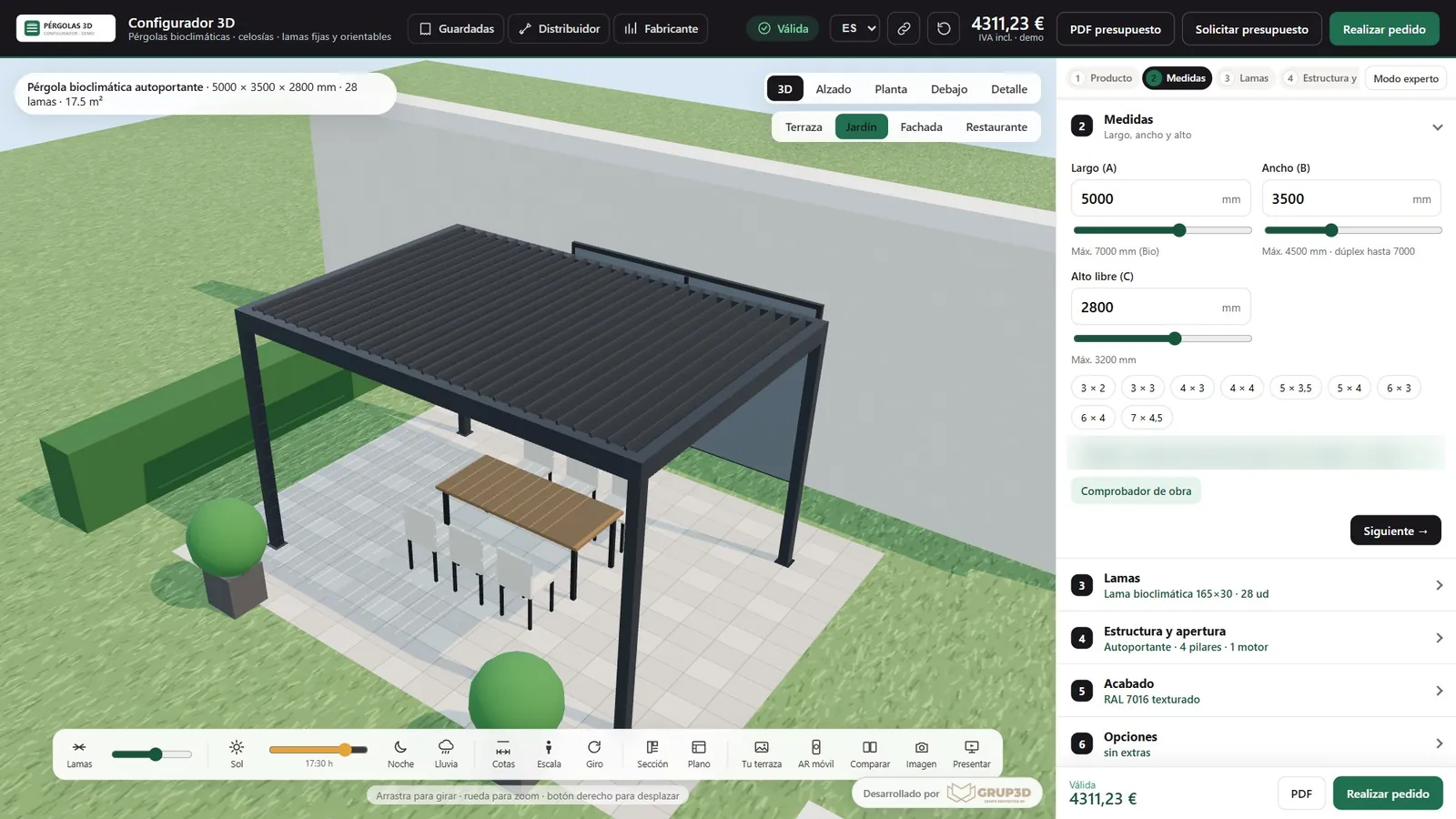
The 3D pergola configurator screen at the sizes step: a bioclimatic pergola in 3D on the left and a panel with length, width, height and quick sizes on the right
The “Sizes” step: with every change the configurator recalculates louvres, posts, motors and price. A screenshot of the demo with an example catalogue and prices.
— PROBLEMS IT SOLVES

The bottlenecks
of selling made-to-measure
pergolas.

Selling made-to-measure solar shading means selling a product the customer cannot see, with hundreds of combinations and technical limits only the factory knows. These are the bottlenecks the configurator removes.

“How much is a 5 × 3 pergola?”

Vague enquiries that eat up hours

Forms arrive with no real measurements, no fixing type and no orientation. The sales rep asks, waits, asks again and the customer goes cold.

With the configuratorThe customer arrives with the model, sizes, louvres, finish and options already chosen, and with an indicative price they have already seen.

“That size cannot be made.”

Impossible sizes spotted too late

Spans beyond the profile's maximum, leaves too heavy for the ironmongery, structures that need another post. It is discovered at the technical office and someone has to go back to the customer.

With the configuratorThe production rules are checked with every change. If something does not fit, it explains why and proposes the solution: bring it down to the maximum, move to a double module or add a post.

“I cannot picture it on my terrace.”

The customer cannot see what they are buying

A PDF catalogue and four photos of finished jobs are not enough to decide colour, louvre orientation or infills. The doubt delays the purchase or hands it to the competitor who does show them.

With the configuratorThey see it in 3D at their own size, with the real shade at every hour of the day, at night with LEDs, in the rain, in augmented reality on their terrace or dropped into a photo of their house.

“I will send you the quote tomorrow.”

Slow quotes done by hand

Counting louvres, working out the pitch, adding up motors, applying finish factors and discounts in a spreadsheet. Every version the customer asks for is another half hour.

With the configuratorThe price is recalculated instantly with your price list: line items, extras, VAT and installation by area, and a PDF ready to send.

“A part was missing from the order.”

Errors between sales and workshop

Dimensions copied wrong, parts forgotten, orders that reach the factory incomplete and installations that run late.

With the configuratorThe approved configuration generates the parts breakdown, the cutting list, the DXF, the bill of materials and the installation drawing. What is sold is what is made.

“Is this price list this year's?”

Distributors with out-of-date price lists

Every distributor quotes with their own spreadsheet and their own version of the price list, and the product's image changes from one point of sale to the next.

With the configuratorA trade area with their buying price, their margin and the suggested retail price, their brand on the PDFs and the price list always up to date from the manufacturer's panel.

“They downloaded the quote and we never heard from them again.”

Contacts that get lost

Leads with no context that nobody shares out or follows up, and interested customers who never hear from you again.

With the configuratorEvery contact arrives with their configuration, is assigned to the sales rep for their postcode and, if they downloaded the PDF without asking for a quote, receives a reminder after 48 hours.

“What is it that people ask us for most?”

Deciding on product and pricing blind

There is no way of knowing which models, sizes or finishes customers are looking for, or at what point they give up before asking for a price.

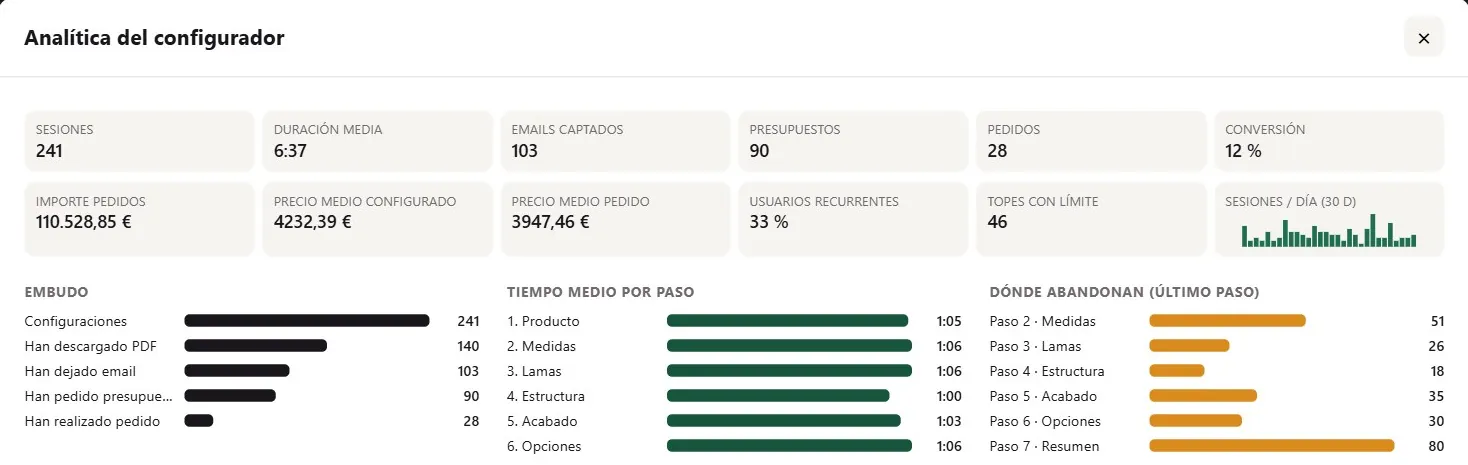
With the configuratorYour own analytics: most configured models and finishes, common widths, time per step and where people drop out.
— WHO IT IS FOR

One tool,
five users.

The same configurator changes what it shows depending on who is using it: the private customer sees their pergola and their price; the trade user also sees their cost, their margin and their documents.

01 · END CUSTOMER

The private customer or the hospitality business

They arrive from your website or from a link sent by the sales rep. They configure, see the pergola on their terrace, compare options, download the quote and ask to be called.

02 · SALES NETWORK

The distributor and the installer

They quote at the customer's home on a tablet, with their buying price, their margin and their logo on the documents. They save jobs and send them by WhatsApp or email for approval.

03 · SPECIFIERS

The architect and the interior designer

They define the solution with dimensions, a drawing and a profile section, compare alternatives and download a data sheet with no prices to include in their project.

04 · SALES TEAM

The manufacturer's sales rep

They receive qualified contacts for their area, close with the A/B comparison tool in front of the customer and use presentation mode at trade shows, in the showroom and in meetings.

05 · FACTORY

The technical office and the workshop

They receive orders with the parts breakdown, the cutting list, the DXF and the installation drawing, and maintain limits, rules and price lists from a panel, with no programming.

— WHAT CAN BE CONFIGURED

Pergolas, louvre screens
and louvres.

Every product type has its own flow and its own rules. The customer only sees what applies to what they have chosen.

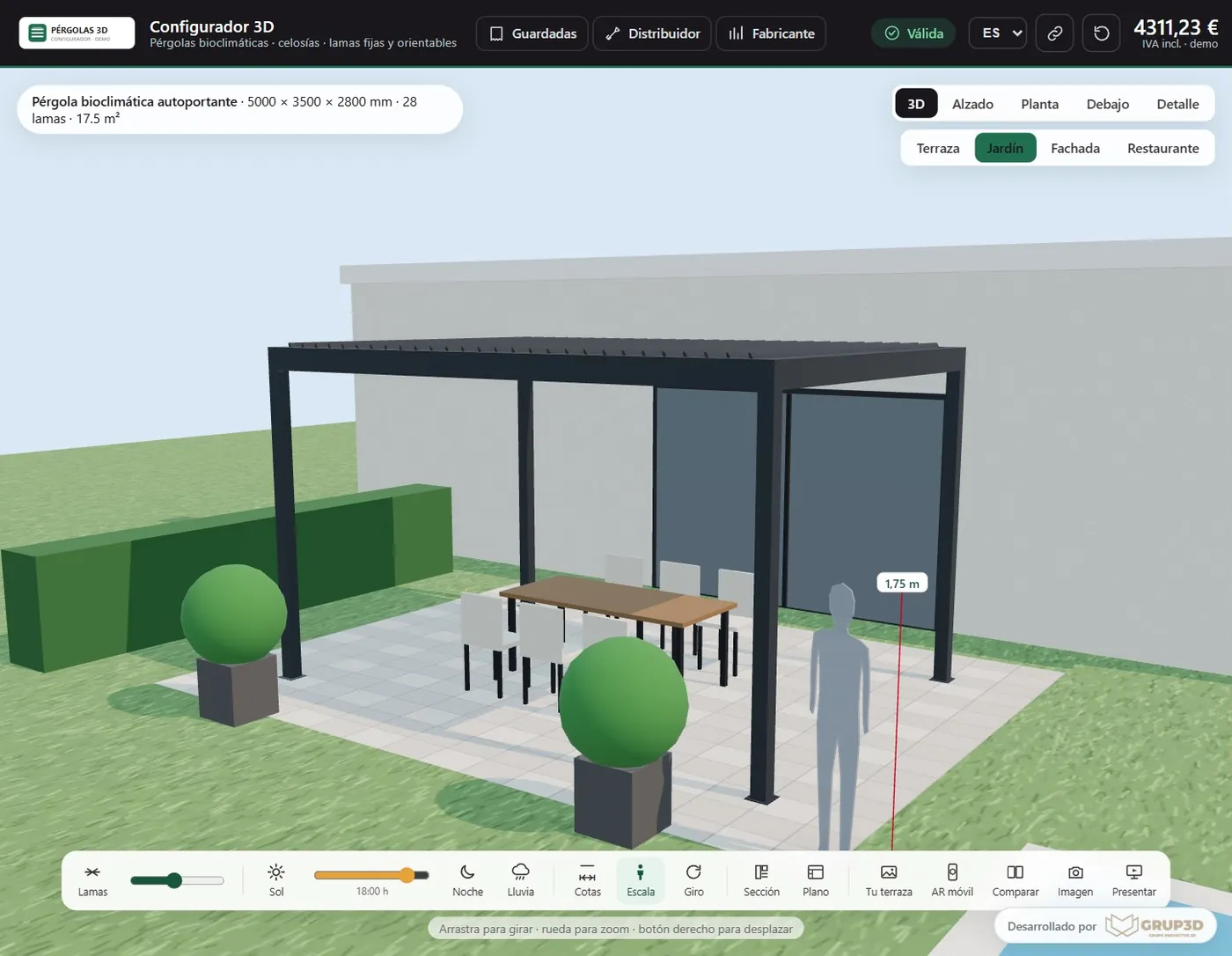
A freestanding bioclimatic pergola with adjustable louvres in a garden, seen in the 3D configurator

Bioclimatic pergola

Motorised adjustable louvres. The customer chooses sizes, structure (freestanding, wall-mounted or double module), finish, LED lighting, wind and rain sensors, heater, audio and app control. The configurator works out the number of louvres, the pitch, the posts and the motors, and warns when a size calls for a different structure.

A retractable pergola with louvres that fold away, seen in the 3D configurator in a restaurant setting

Retractable pergola

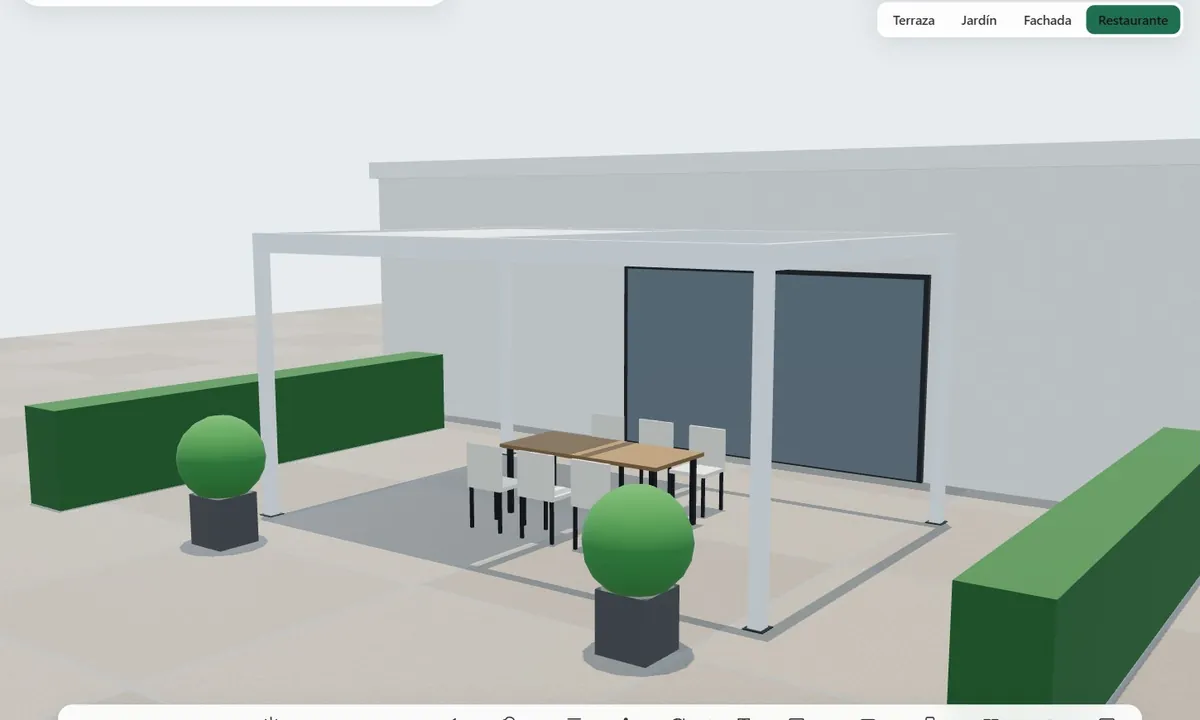
A louvre roof that folds away to open the pergola completely. Sizes, structure, finish and infills are configured, and the configurator adds the reinforcing beam when the length requires it.

A sliding louvre screen with vertical adjustable louvres on a façade, seen in the 3D configurator

Adjustable louvre screen

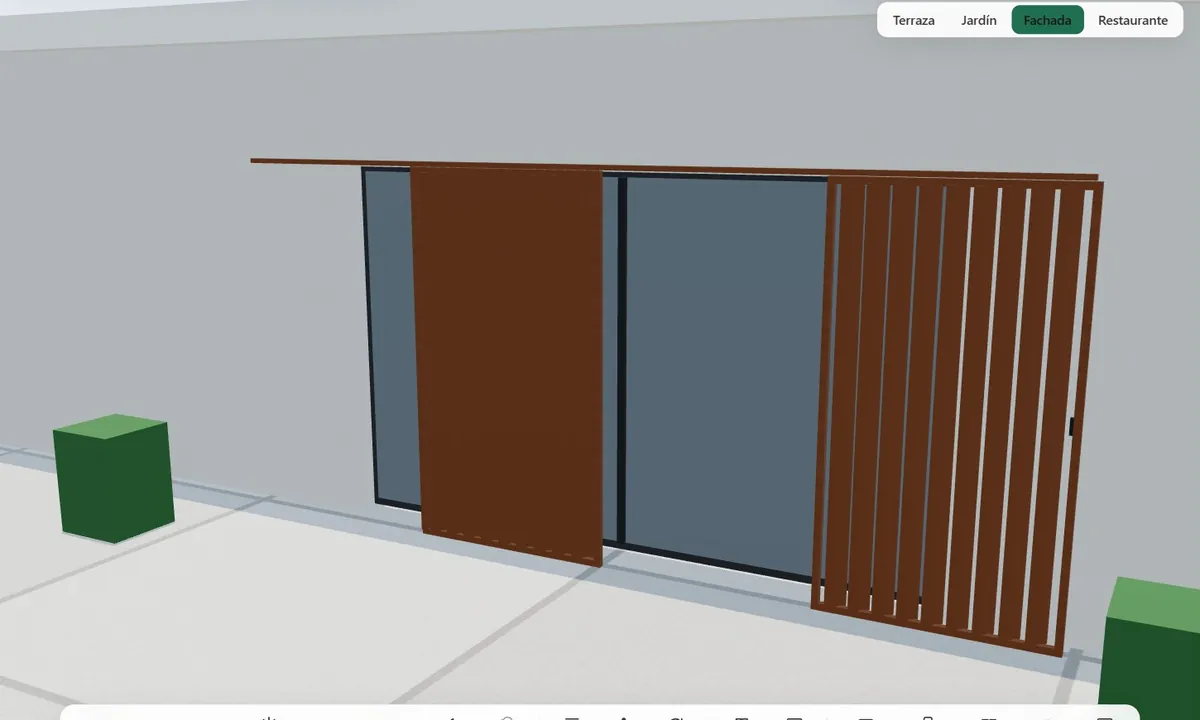
For façades, terraces and enclosures. Louvre model, horizontal or vertical arrangement, pitch, material, frame and opening system: fixed, side-hung, sliding, folding or projecting. It controls the maximum louvre length, the number of leaves, the weight per leaf against the ironmongery and full closure.

A two-leaf shutter-style side-hung louvre screen in green, seen in the 3D configurator

Fixed and shutter-style louvre screens

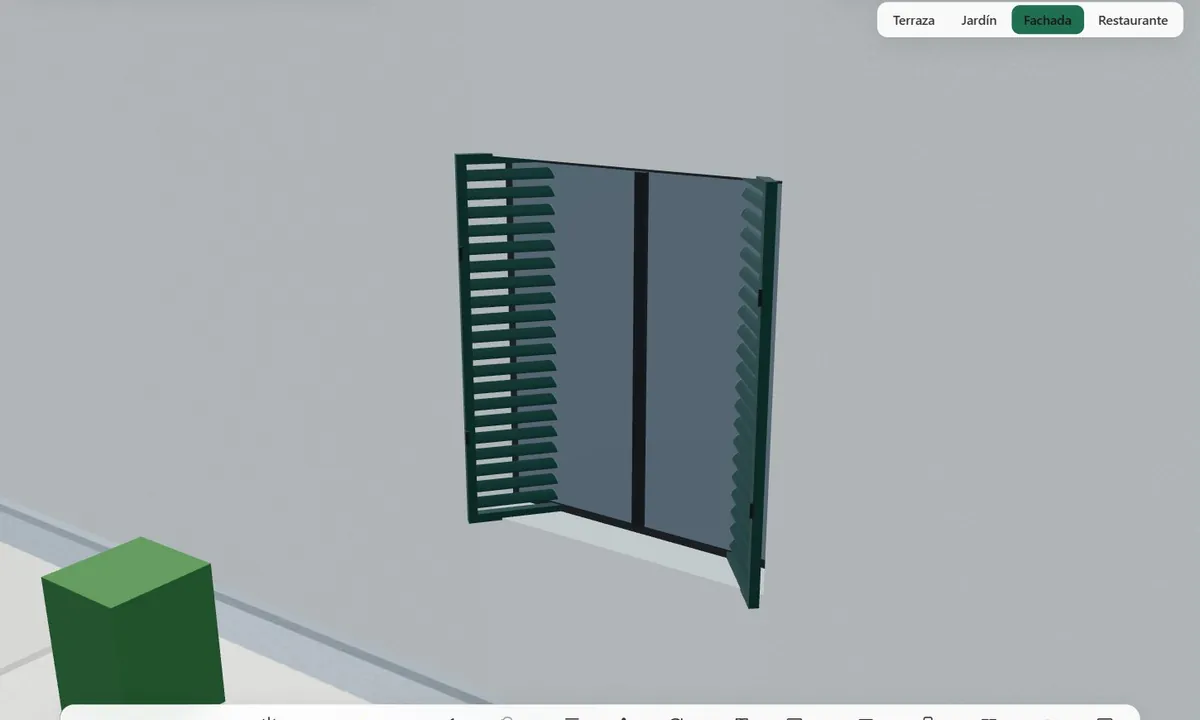
Different louvre profiles, tilt, pitch and frame, in fixed panels or opening leaves. The configurator works out the louvre overlap according to the chosen pitch and the number of louvres per leaf.

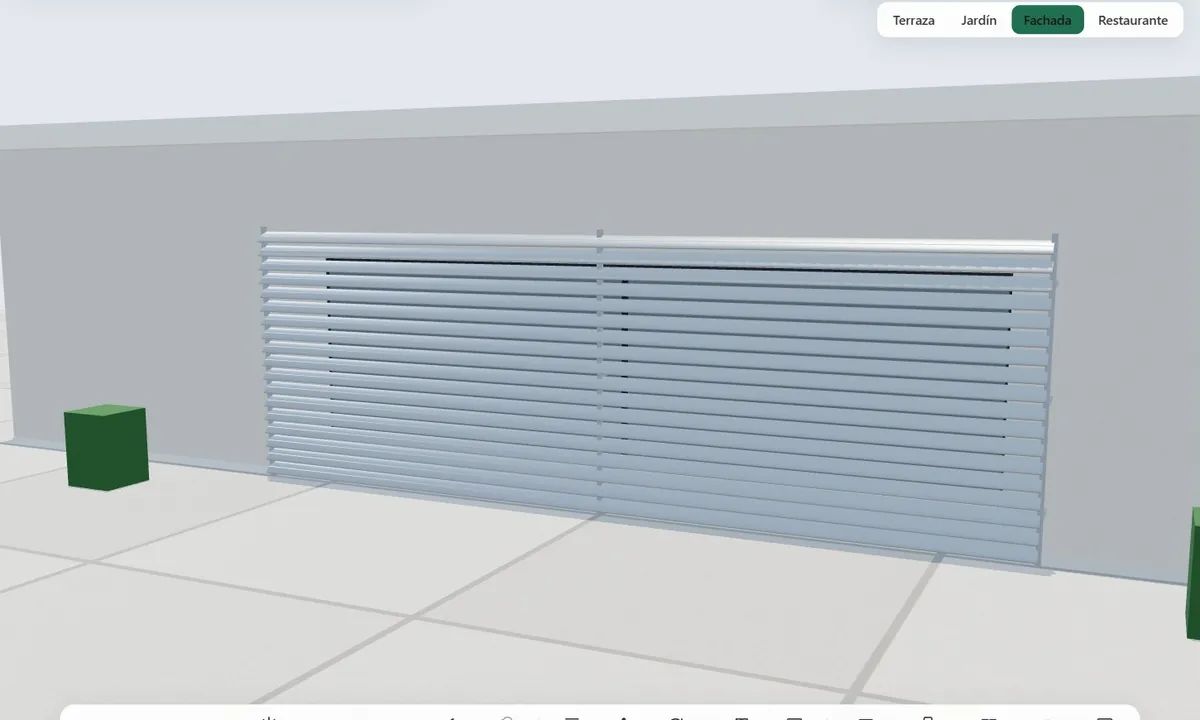
A brise-soleil with continuous horizontal fixed louvres over a wall, seen in the 3D configurator

Continuous fixed louvres (brise-soleil)

Louvres across large façade panels. The configurator spaces the supports according to the profile's maximum span, adds the brackets for fixing to the façade and works out the tilt and the pitch.

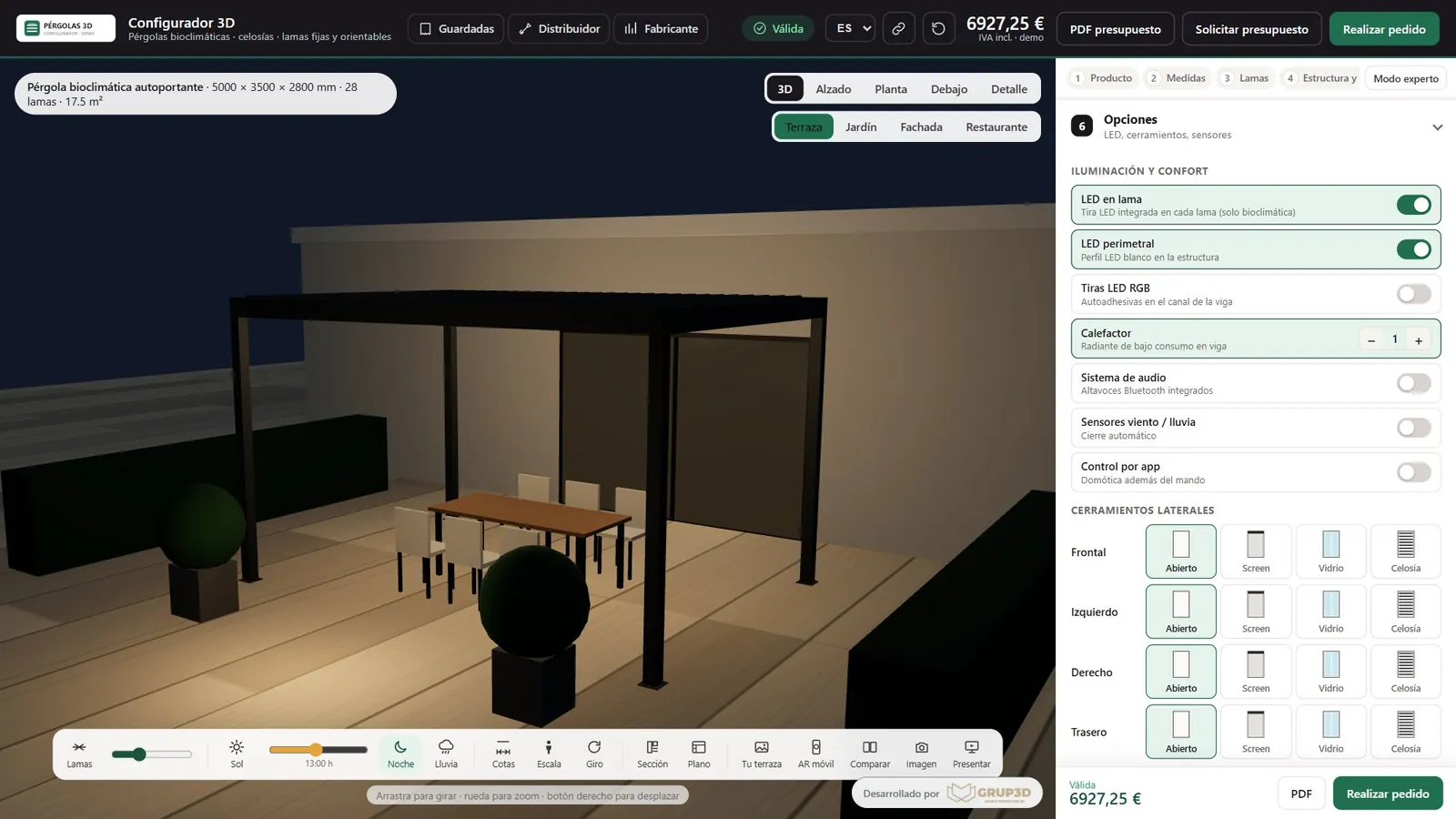
A wall-mounted pergola with glass and screen side infills, and the configurator's options panel

Infills and options

Each side of the pergola is closed separately: open, screen, glass or louvre. LEDs in the louvre or around the perimeter, RGB strips, heater, audio, sensors and app control. The 3D and the quote update with every choice.

Images from the demo with an example catalogue. On implementation, the ranges, models, finishes and limits of your own catalogue are loaded.

— FEATURES

Everything the configurator
does.

From the customer's first click to the workshop's cutting list, without changing tool or typing data in again.

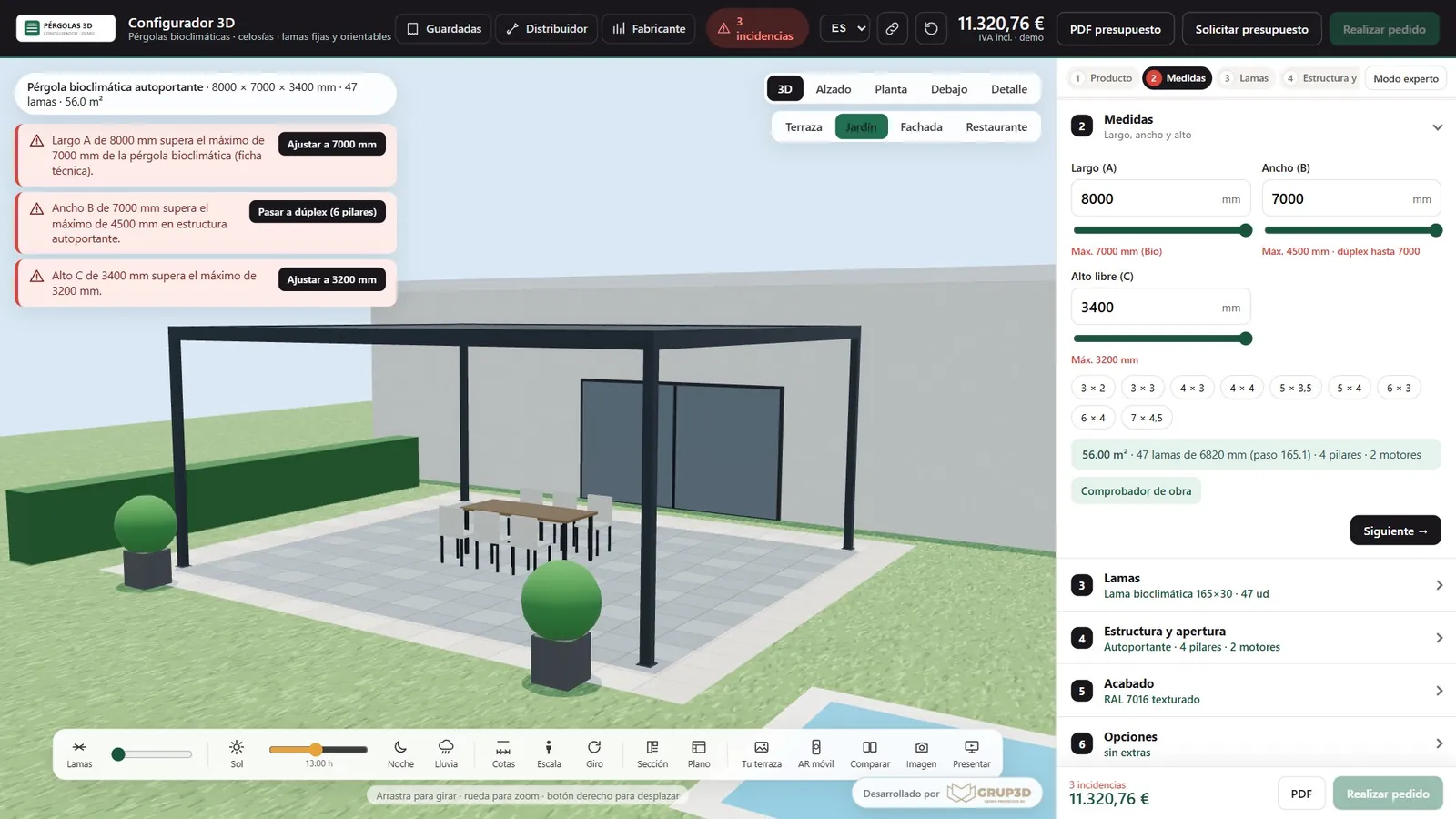
The pergola configurator showing three technical rule warnings with buttons to bring the size down to the maximum or move to a double module
The rules explain which limit has been exceeded and offer the correction in one click.
01 · CONFIGURATION AND RULES

Seven steps and rules that guide the way

Product, sizes, louvres, structure and opening, finish, options and summary. The private customer follows a simple flow; the trade user can open expert mode and have it all at once.

  • Sizes with a slider, typed in, or with quick sizes (3 × 2, 4 × 3, 5 × 4…).
  • Automatic calculation of louvres, pitch, posts and motors.
  • Warnings that explain why and propose the alternative: bring it down to the maximum, move to a double module or add a post.
  • Structural checks, such as the strength of the façade on wall-mounted pergolas.
  • An indicator showing whether the configuration is valid or has warnings, always in view.
  • Saved configurations and a link that rebuilds them on any device.
02 · 3D VISUALISATION

Sun, night and rain in real time

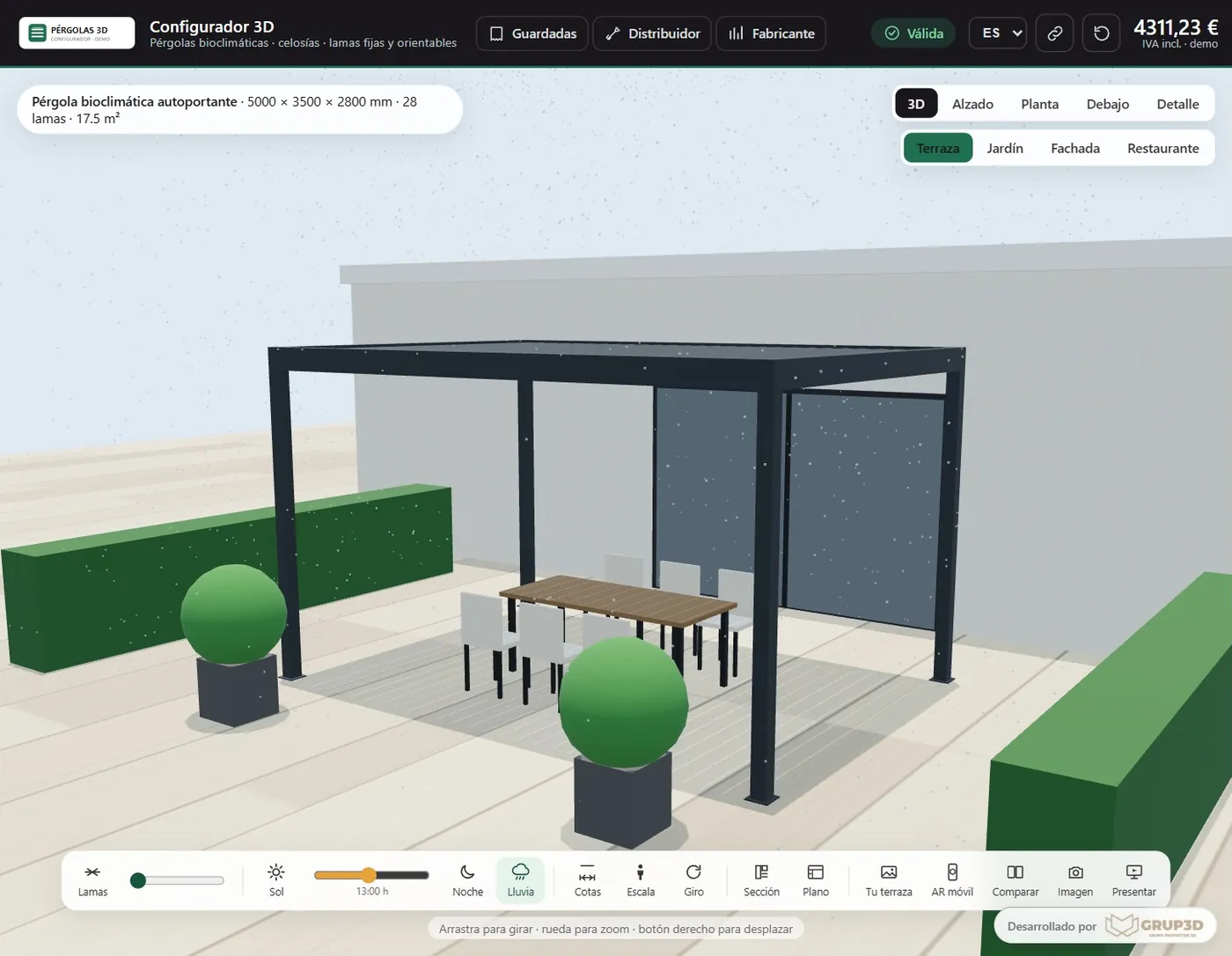
The 3D is rebuilt with every change of size, model or finish, with the real section of the louvre. The louvres turn or fold away and the leaves open, fold or slide just as they do in reality.

  • Sun by the hour, from 7 am to 8 pm, with the real shade of the louvres on the ground.
  • Night mode with the louvre and perimeter LEDs switched on.
  • Rain with the louvres closed, to explain how watertight it is.
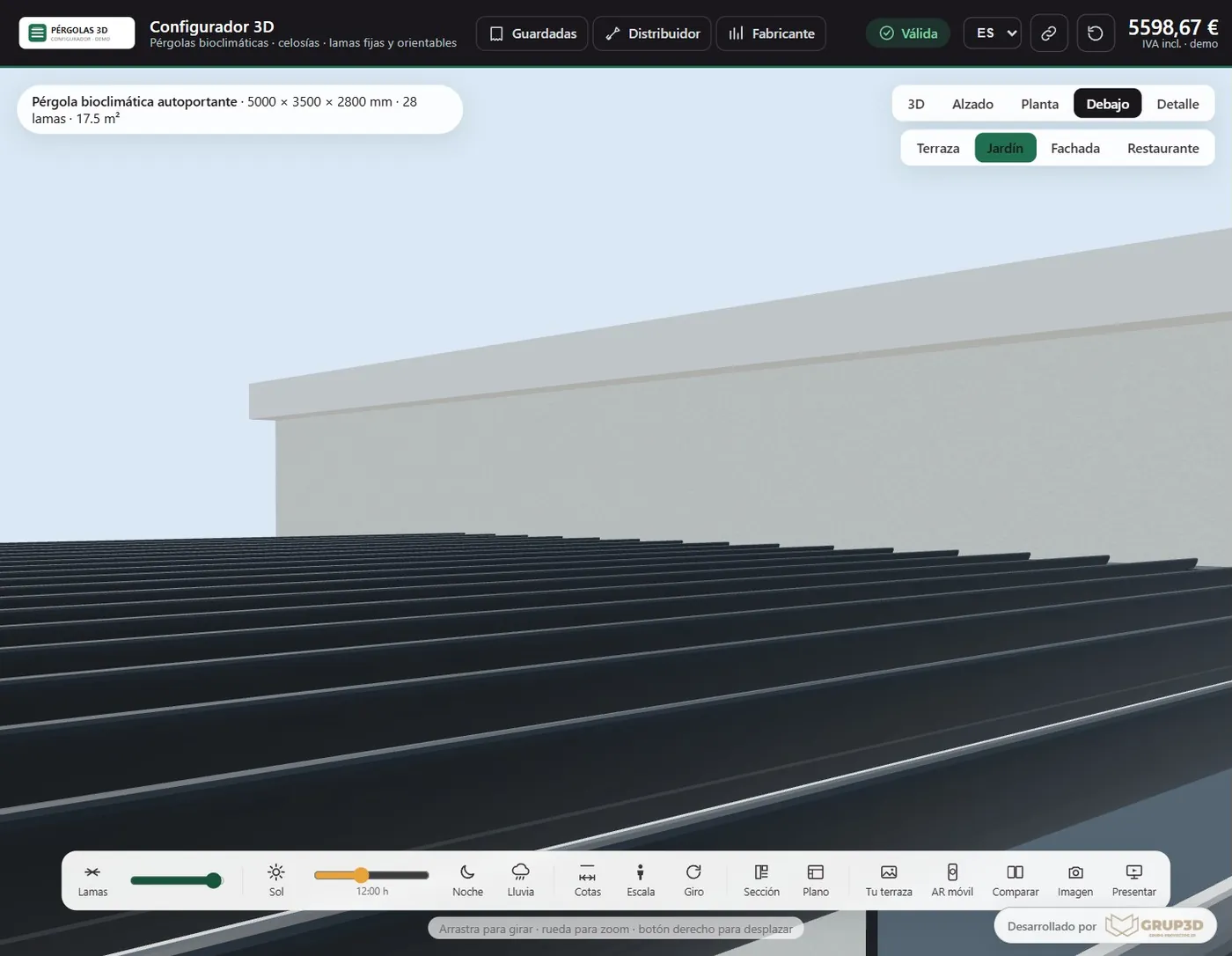
  • 3D views, elevation, plan, from underneath, close-up and from inside the house.
  • Dimensions, a human figure for scale and terrace, garden, façade and restaurant settings.
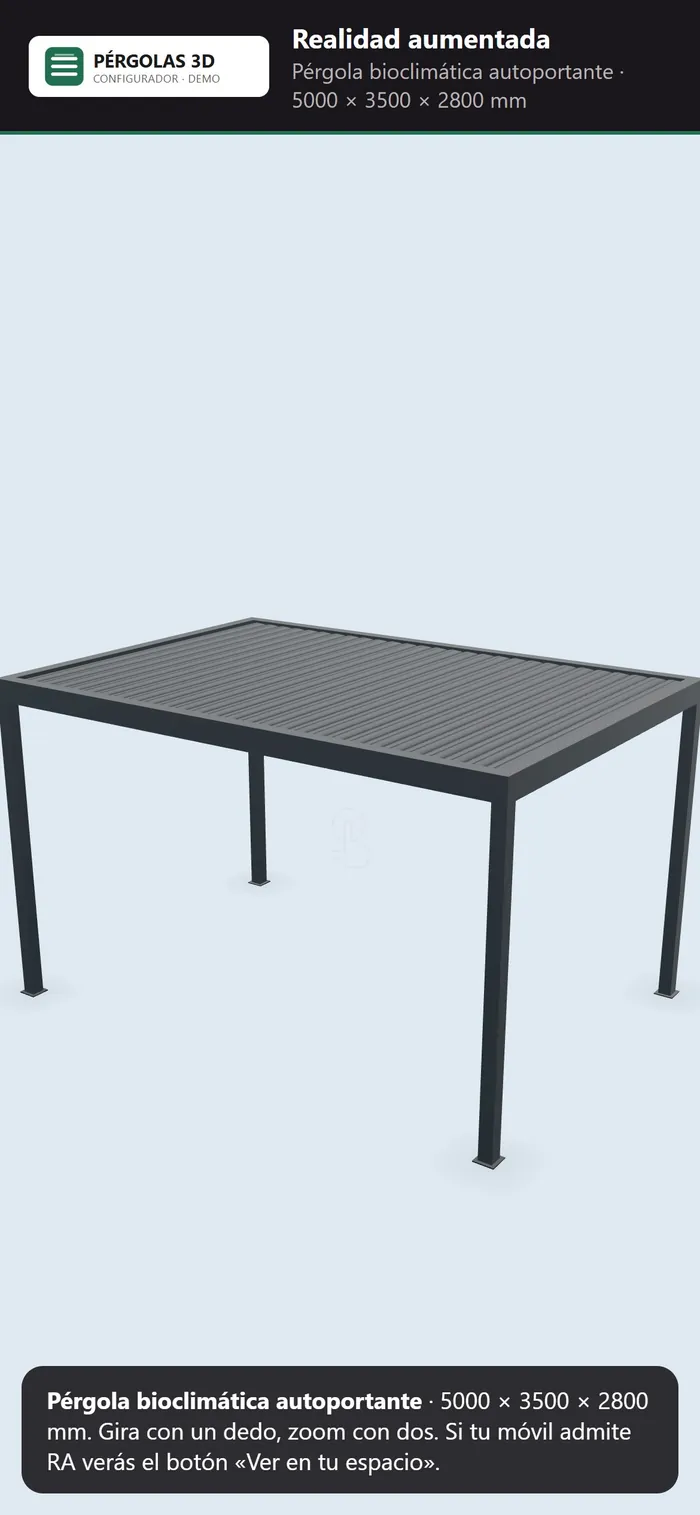
A phone showing the configured pergola in augmented reality, ready to be placed at real scale
Augmented reality on a phone.
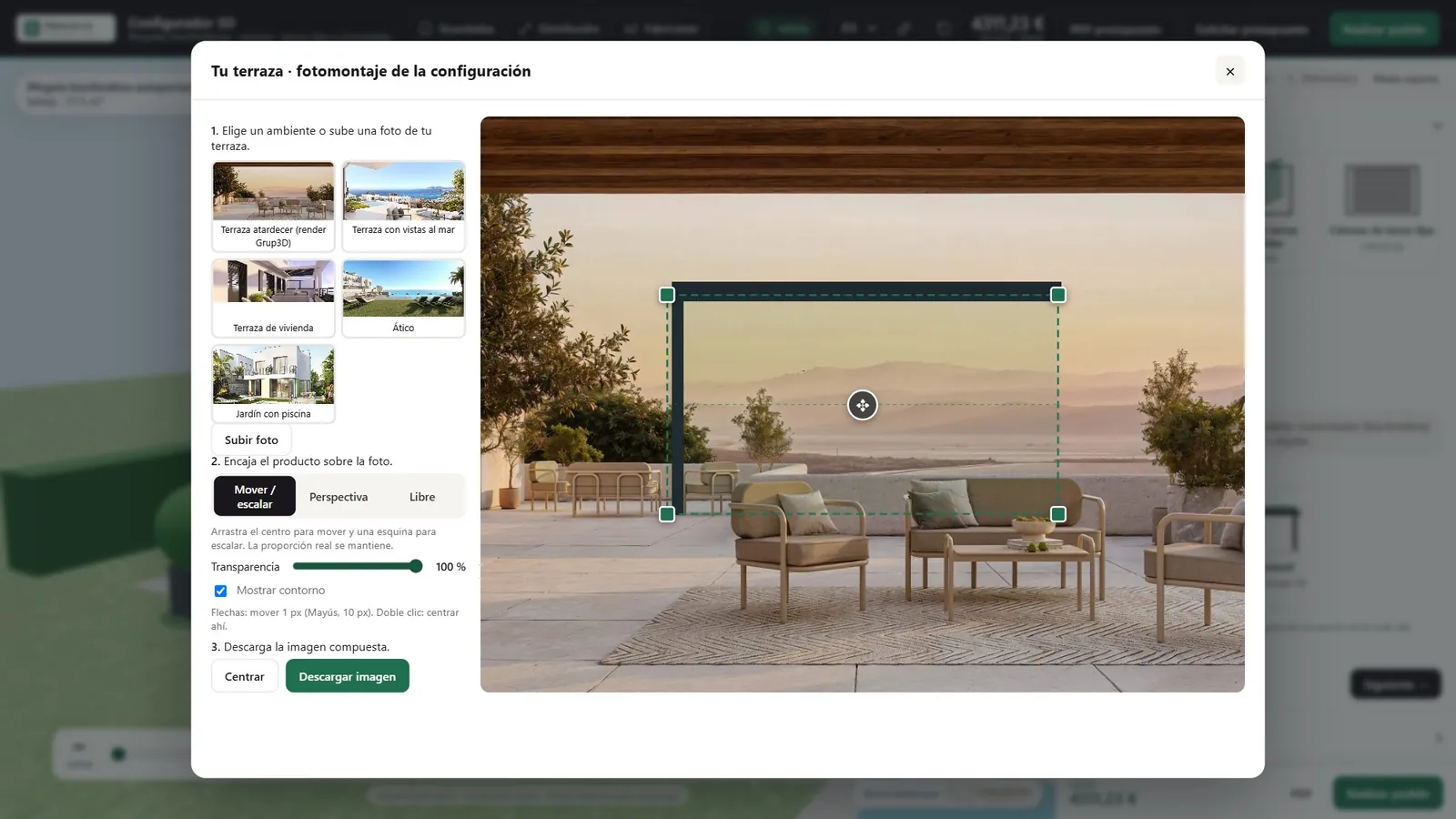
The configurator's photomontage tool: the pergola fitted in perspective over a photo of a terrace
A photomontage over the photo of the customer's terrace.
03 · AUGMENTED REALITY AND PHOTOMONTAGE

“How will it look at my house?”

It is the question that holds back an outdoor purchase more than any other. The configurator answers it in two ways, with nothing for the customer to install.

  • Augmented reality with no app: a QR code opens the pergola on a phone and places it at real scale on the terrace or against the façade, on Android and on iOS.
  • Download of the 3D model in GLB format.
  • Photomontage: the customer uploads a photo of their terrace, fits the pergola in perspective and downloads the image to show at home.
  • The whole configurator works on a phone too.
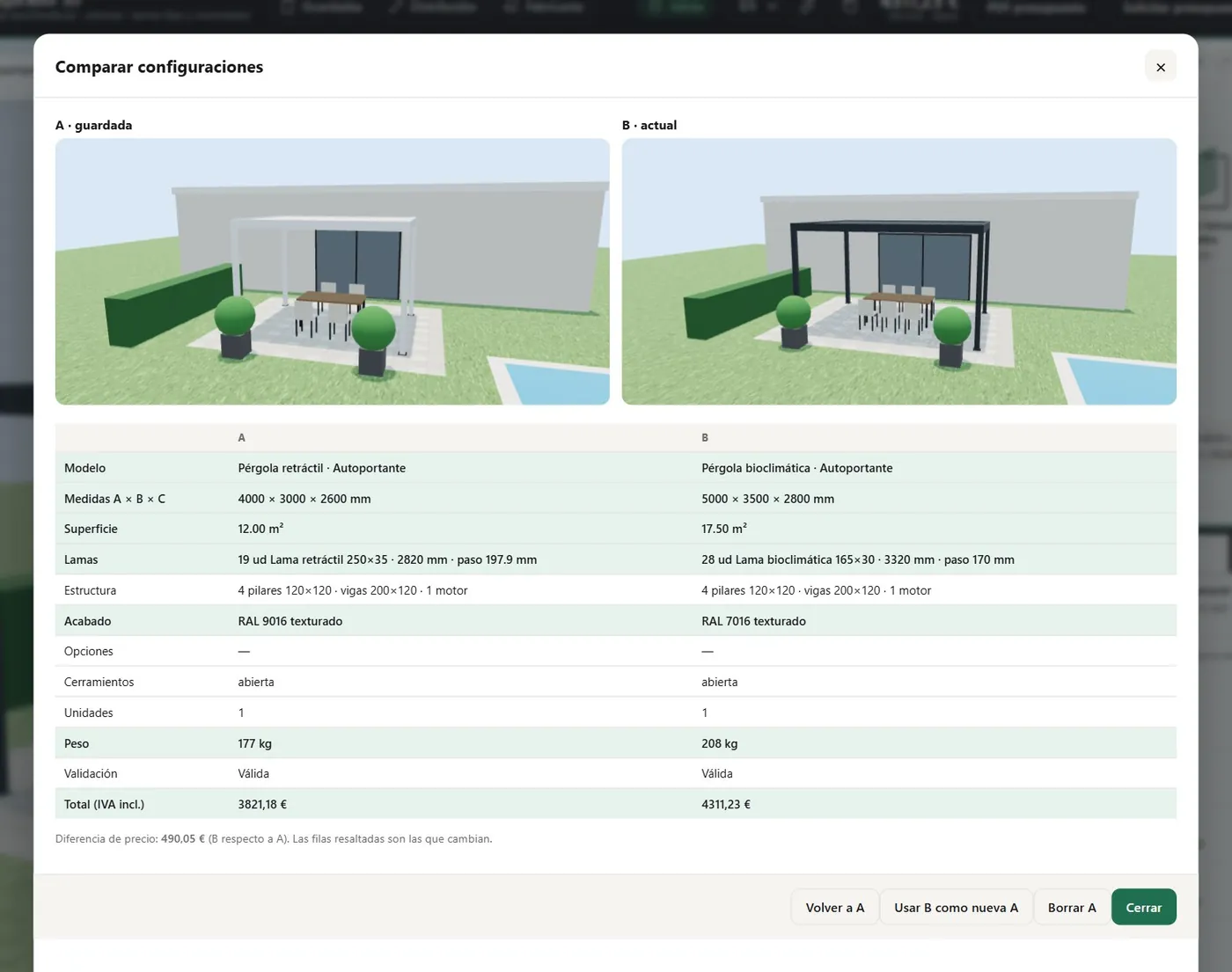
The configurator's A/B comparison tool with two pergolas in 3D side by side and a table of differences in size, weight and price
A/B comparison: two configurations, their differences and the difference in price.
04 · COMPARISON AND PRESENTATION

Closing the decision at the table

Two configurations side by side in 3D, with a table of what changes and the difference in price. With it, the sales rep helps the customer decide between bioclimatic or retractable, freestanding or wall-mounted, with or without infills.

  • “Use B as the new A” to carry on refining the proposal.
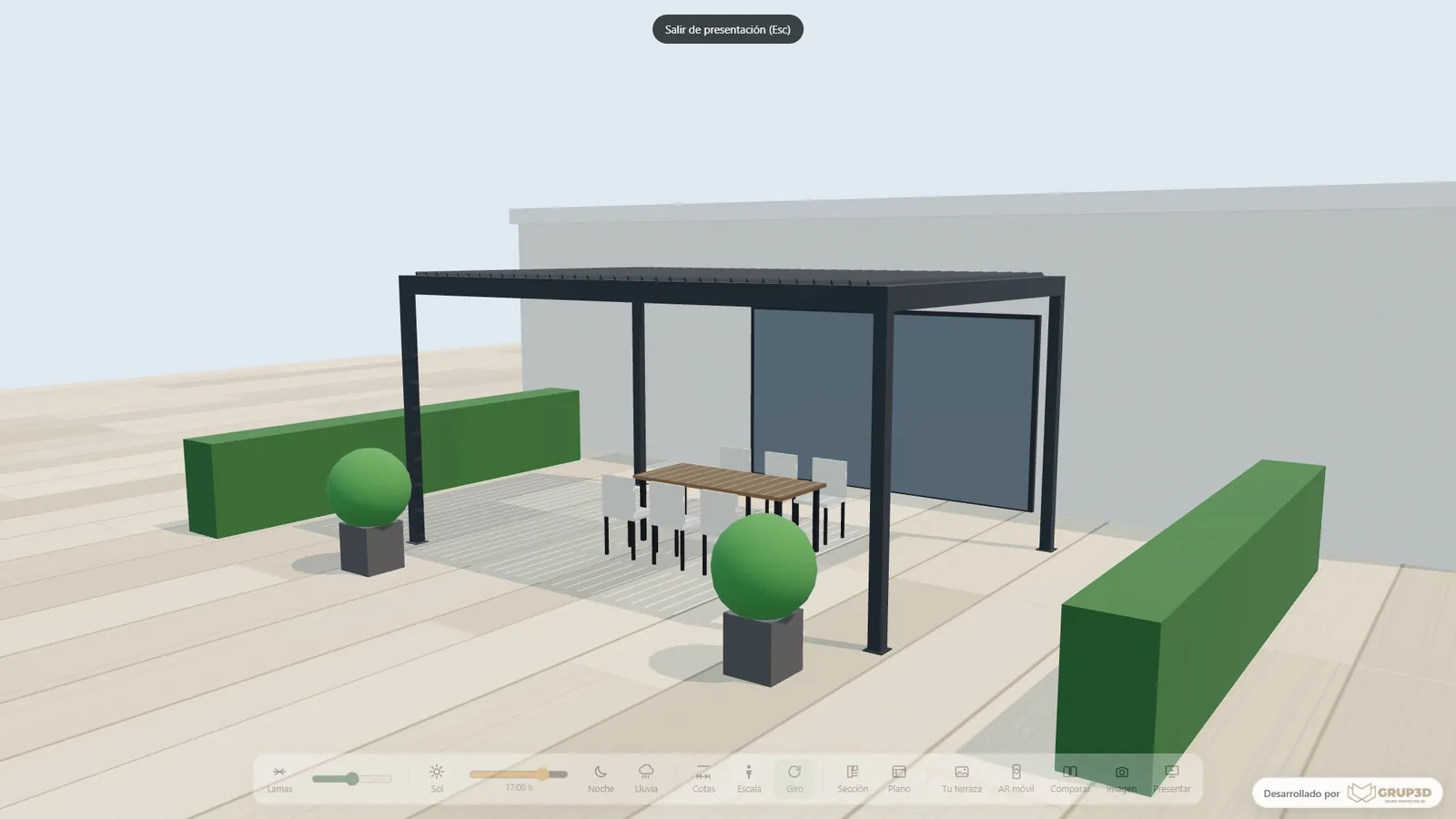
  • Full-screen presentation mode, with automatic rotation, for trade shows, showrooms and meetings.
  • A screen capture of any view to attach to an email.
05 · QUOTE AND ORDER

Quote, drawing and order

The summary brings together the parts breakdown, weights, area, lead time and line items. From there the customer or the sales rep generates every document of the sale.

  • A real-time price with line items, VAT and installation by area.
  • A PDF quote with a 3D image, specifications, parts breakdown and line items.
  • A technical data sheet with no prices, for architects and specifiers.
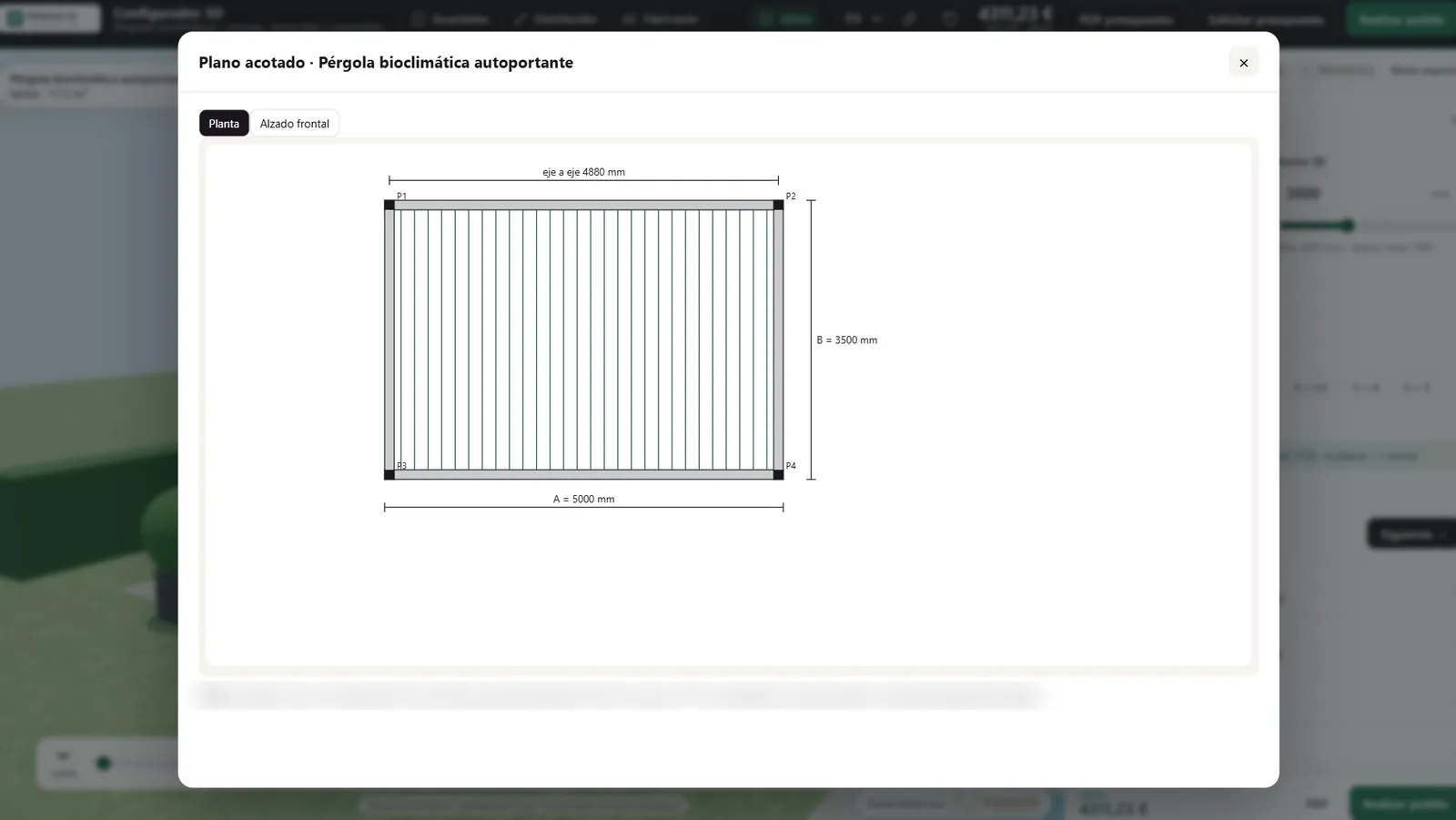
  • A dimensioned plan and elevation drawing, and a profile section with its dimensions.
  • An approval link with an “Approve” button for the customer's sign-off.
  • A request or order with site details, delivery and an on-screen signature.
06 · WORKSHOP AND SITE

Documentation to manufacture and install

The approved configuration becomes production documentation without anything being typed again: what the customer signs is what reaches the workshop.

  • Parts breakdown and cutting list.
  • DXF for the technical office.
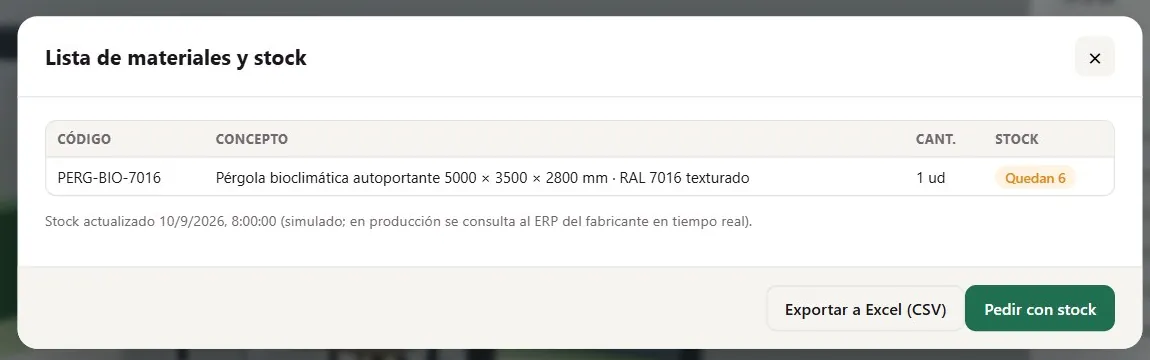
  • A bill of materials with stock and export to Excel.
  • An installation drawing with the setting out of posts and anchors.
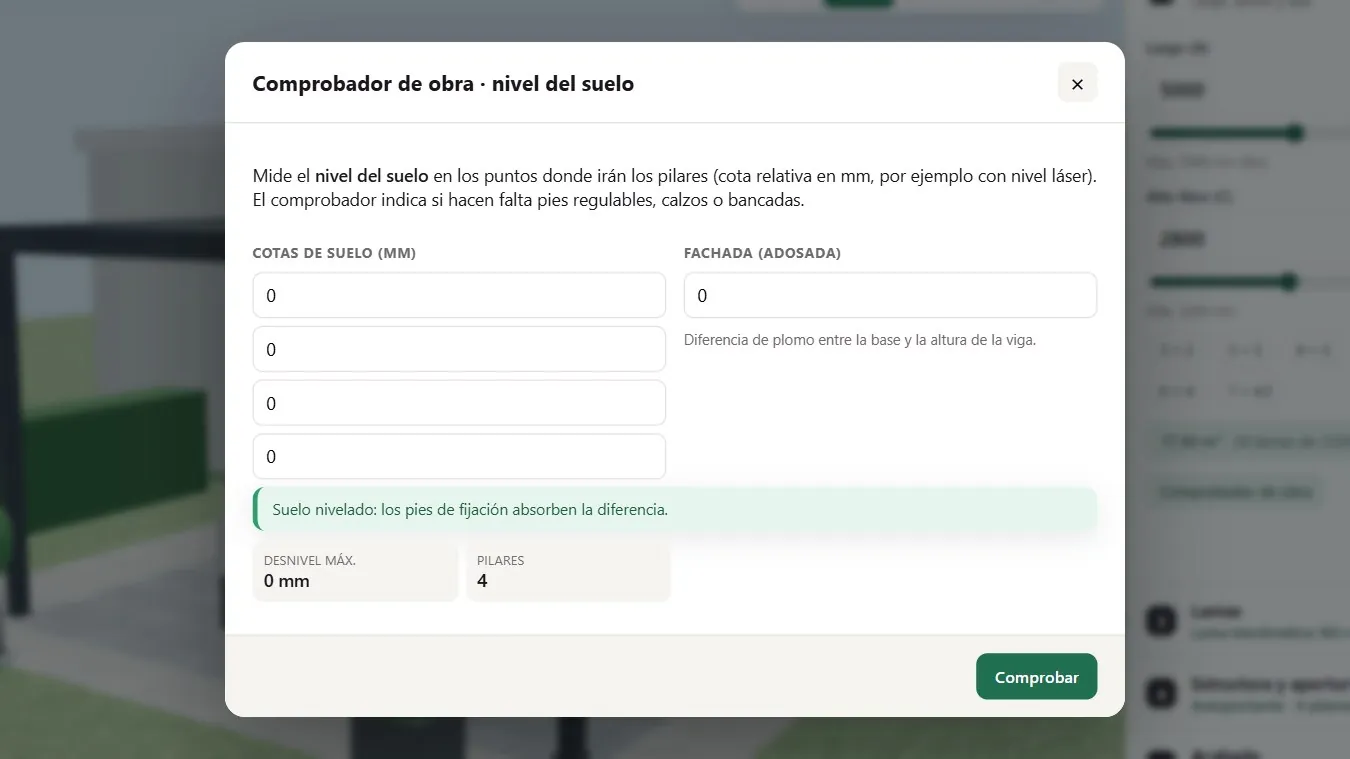
  • Site checker: with the floor levels, it says whether the adjustable feet are enough or whether shims or bases are needed.
The configurator's trade area for an example distributor with a discount on the retail price, margin and white labelling
The trade area of an example distributor.
07 · DISTRIBUTION NETWORK

An area for your distributors

Distributors, installers and architects log in with their own user, created by the manufacturer. Each of them sees the configurator with their own terms.

  • Buying price with their discount, their margin and the suggested retail price for the customer.
  • White labelling: their logo and their name on the PDFs, with or without the manufacturer's brand.
  • Jobs saved by customer and sent by WhatsApp or email for approval.
  • Discounts by customer type and by campaign.
  • The configurator embedded in each distributor's website too.
08 · MANUFACTURER'S PANEL

Data, leads and price lists in one panel

The information that today gets lost between forms, phone calls and spreadsheets, organised for sales management and for the factory.

  • Analytics: sessions, funnel, time per step, where people drop out, most configured models and finishes.
  • Leads by area with status, automatic reminders and export to CSV.
  • Price list and rules manager: prices, factors and limits are changed with no programming.
  • Orders into the ERP as a sales order with lines by code (optional integration).
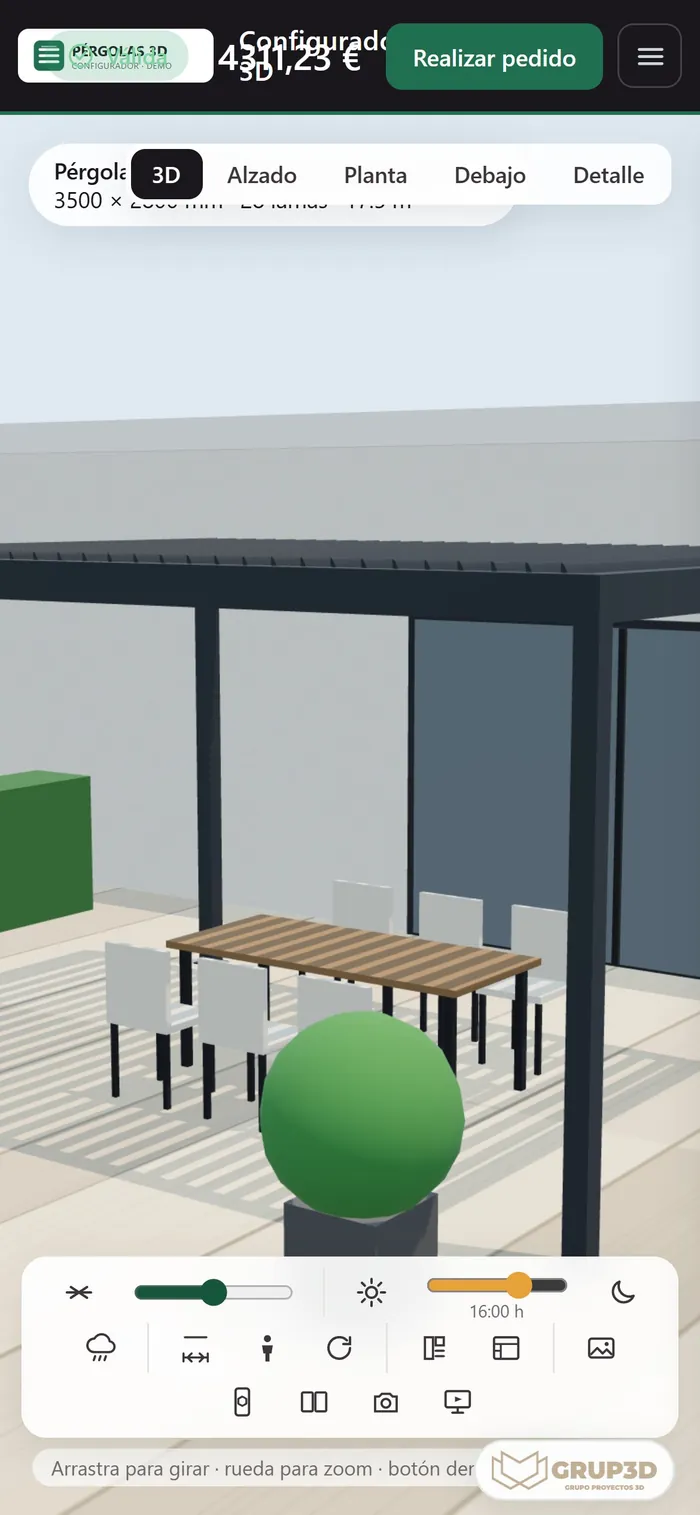
The pergola configurator open on a phone with the 3D viewer and the louvre, sun and night controls
The configurator on a phone.
The configurator's full-screen presentation mode with a bioclimatic pergola, designed for trade shows and showrooms
Presentation mode for trade shows and showrooms.
09 · INTEGRATION AND CHANNELS

Wherever your customer is

The same configurator works across every sales channel, with the same data and the same price list.

  • On your website with one line of code, connected to your form or to your CRM.
  • On each distributor's website, with their brand.
  • As a direct link with the configuration already loaded, for campaigns and WhatsApp.
  • Full screen on the showroom tablet and at trade shows.
  • In Spanish, English, French and Portuguese.
  • Optional integrations with ERP and stock, CRM, web analytics and a signature or payment gateway.
— FROM CLICK TO ORDER

How an order
reaches
your factory.

The complete journey of a pergola sale when the configurator is connected to your sales network.

  1. 01

    Configure

    The customer designs their pergola on your website, on a distributor's site or with the sales rep in front of them.

  2. 02

    Identify

    To download the PDF or ask for a quote they leave their email: a contact is created that already carries their configuration.

  3. 03

    Assign

    The contact goes to the sales rep or distributor for their postcode.

  4. 04

    Follow up

    If they downloaded the PDF and did not ask for a quote, they receive a reminder after 48 hours.

  5. 05

    Approve

    The customer reviews the link, compares alternatives and presses “Approve”.

  6. 06

    Order

    An order with site details, delivery and an on-screen signature.

  7. 07

    Manufacture

    Parts breakdown, cutting list, DXF and bill of materials for the workshop, and an order into the ERP if it is integrated.

— COMPARISON

Catalogue, platform
or bespoke.

Three ways of selling made-to-measure pergolas online. A bespoke configurator is not always necessary: this table helps you decide.

An indicative comparison between approaches; subscription platforms vary a great deal between themselves.
CriterionPDF catalogue and price listGeneric configuration platform (subscription)Bespoke 3D configurator
What the customer seesPhotos and size tablesThe product in 3D, within whatever the platform allowsTheir pergola at their own size in 3D, with sun, night, rain, augmented reality and photomontage
Production rulesThe technical office applies them afterwardsWhatever the platform allows; complex ones usually call for extra developmentYour rules, with an explanation and an alternative in one click
PriceBy hand, in a spreadsheetUsually with the platform's own pricing engineYour price list, with line items, factors, areas and customer types
Workshop documentsNoDepending on the platformParts breakdown, cutting list, DXF, bill of materials and installation drawing
Distributor networkPrice lists in ExcelDepending on the platformAn area with buying price, margin and white labelling
ERP / CRM integrationNoUsually through connectors or an APIBespoke, with your ERP and your CRM
Cost modelLowA recurring licence feeAn implementation and maintenance project, with no third-party licences
When it makes senseFew models and standard sizesSimple products or a quick startA technical product with many combinations, real production limits and a sales network

The honest summary: if you sell few models in standard sizes, a generic platform or even a good catalogue may be enough. When every pergola is made to measure and the factory has real technical limits, the rules, the exact price and the workshop documentation are what justify a configurator of your own.

— GETTING STARTED

Four steps
to having your own.

The base already works: implementing it means loading your catalogue, your brand and your sales network.

  1. 01

    Catalogue and rules

    Louvre ranges with their sections, weights and moments of inertia; pergola models with their beams and posts; production limits: maximum sizes, weight per fitting and number of motors.

  2. 02

    Brand and price list

    Logo, colours, texts and your own domain. Prices by line item, finish factors, discounts by customer type and campaigns.

  3. 03

    Website and sales network

    Integration into your website and your distributors' sites, with areas by postcode, sales reps and approved installers.

  4. 04

    Launch and training

    One session with the sales team and the distributors: the configurator during the visit, the comparison tool with the customer in front of them and the follow-up of contacts.

— WHAT THE MANUFACTURER PROVIDES
  • Technical catalogue and price list.
  • CAD files of the profiles, if they exist.
  • Logo and brand colours.
  • Photos or renders of finished jobs for the settings.
  • A list of sales areas, sales reps and installers.
— OPTIONAL INTEGRATIONS
  • Orders and stock with your ERP.
  • Contacts with your CRM.
  • Web analytics.
  • A signature or payment gateway.
— TECHNOLOGY AND DATA

How it works
underneath.

NOTHING TO INSTALL

In any browser

Computer, tablet and phone. Hosted over HTTPS, with no plugins and no apps to download.

NO LICENCES

The configurator is yours

It does not depend on a pay-per-use platform or on third-party licences.

NO PROGRAMMING

Data kept separate from the code

Catalogue, price list, limits, sales network and texts are maintained from files and panels, with no code to touch.

YOUR DATA

Contacts and orders belong to the manufacturer

The contacts, the orders and the statistics belong to the manufacturer and are exported to Excel or CSV whenever you want.

YOUR WEBSITE

Built into your own page

It is embedded in your website and passes the product, the sizes, the price and the status to your form or to your CRM.

PRIVATE DEMO

Access with a key

To protect each manufacturer's work, the demo opens with a personal access per company, with limited uses and devices.

— FREQUENTLY ASKED QUESTIONS

What manufacturers
ask us.

There are more short answers in frequently asked questions about 3D configurators and who we are in 3D configurator company.

What is a 3D pergola configurator?

It is a web application where the customer designs their pergola in 3D (type, sizes, louvres, structure, colour and extras) while the system checks the production rules and works out the price, the drawing and the parts breakdown. It is used for selling online, for the distributor network and for the sales visit.

Which product types can be configured?

Bioclimatic pergolas with adjustable louvres, retractable pergolas, adjustable and fixed louvre screens, shutter-style louvres and continuous fixed louvres (brise-soleil), with screen, glass or louvre side infills. If you make other solar shading products, they are added as new families with their own rules.

What happens if the customer asks for a size that cannot be made?

The configurator detects it straight away, explains which limit is exceeded (for example, the maximum louvre length or the maximum width of a freestanding structure) and offers the alternative in one click: bring it down to the maximum, move to a double module or add a post.

Does the configurator work out the price?

Yes. It works out an indicative price in real time with your price list: line items, extras, VAT and installation by area. Distributors also see their buying price and their margin. Price lists are updated from a panel, with no programming.

Does the augmented reality need an app?

No. A QR code opens the configured pergola on a phone and the “View in your space” button places it at real scale, on Android and on iOS. The 3D model can also be downloaded in GLB format.

Does it work on mobile and tablet?

Yes. The whole configurator works in the browser on a phone, a tablet and a computer. In showrooms and at trade shows it is used full screen in presentation mode.

Can it go on my website and on my distributors' sites?

Yes. It is embedded with one line of code on your website and on each distributor's site, which can show their own brand. It also works as a direct link with the configuration already loaded, for campaigns and WhatsApp.

Does it connect to my ERP or my CRM?

That is optional. Orders can go into the ERP as a sales order with lines by code and contacts can pass into your CRM. Without an integration, everything is exported to Excel or CSV.

What documentation does it generate for the factory?

Parts breakdown and cutting list, DXF, bill of materials with stock and an installation drawing with the setting out of posts and anchors, all from the configuration the customer approved.

Who owns the data?

The manufacturer. The contacts, the orders and the statistics are yours and can be exported whenever you want.

How much does a 3D pergola configurator cost?

It depends on how many product families, technical rules, languages and integrations you need. Since we start from a base that already works, you are not paying for a development from scratch. After the demo we send you a fixed proposal with scope and price; you can see which variables affect it on the price of a 3D configurator.

How long does it take to go live?

It depends above all on your catalogue: what takes time is loading ranges, limits, finishes and prices. The 3D and the features already exist, so the project focuses on your data and your sales network. The timescale is set out in the proposal.

How can I see the demo?

Request it on the form on this page. We will send you a personal access for your company and, if you like, show it to you on a 30-minute video call.

— PRIVATE DEMO

Would you like to explore
this configurator?
Ask for your demo.

If you need to explore this configurator, request more information and we will send you a personal access to the full demo: the configurator, the trade area for distributors, the manufacturer's panel and the workshop documentation.

If you prefer, we will show it to you on a 30-minute video call and go through it with your catalogue in mind.

Would you rather try a cut-down version right away? Open the pergola configurator in the open demo: no registration, with example products and prices.

  • A personal access for your company.
  • No commitment.
  • We reply from grup3d@grup3d.es.

Would you rather talk it through? Call us on 662 061 421 or write to grup3d@grup3d.es.