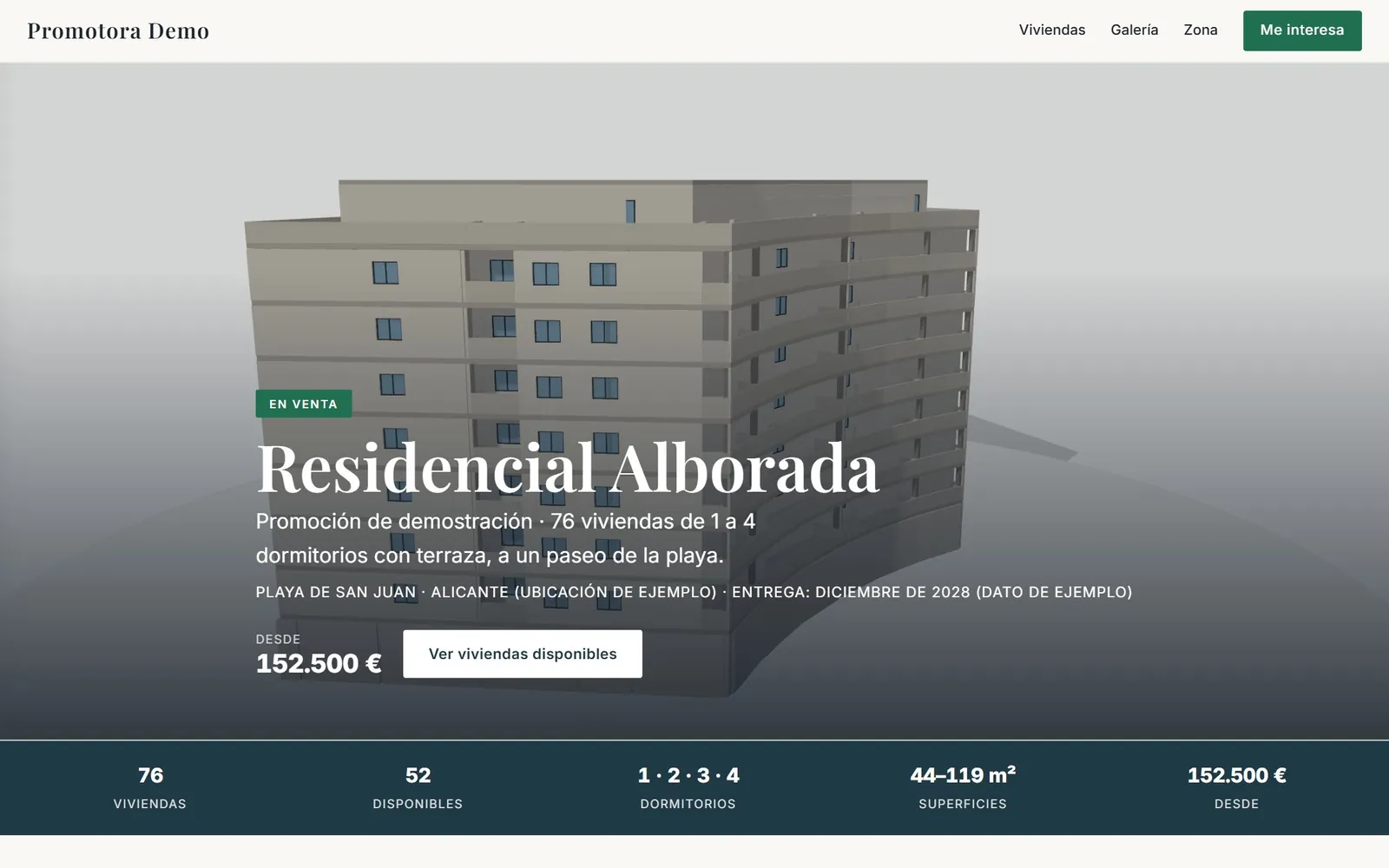
Home page of the virtual showroom for the Residencial Alborada demo development
3D SHOWROOM · OPEN DEMO
— PROPERTY DEVELOPERS · OFF-PLAN SALES

A virtual property
showroom
you can try today.

A virtual property showroom is not a gallery of renders with a 360° tour. It is the whole development in one website: the building in 3D, every home with its price, its status, its floor plan and its light, a comparison tool, the neighbourhood and a dashboard that tells you who is interested and in what. Here is an open demo you can walk through like a buyer.

— WHAT HAPPENS TO YOU

A few renders
and a tour
are not a showroom

Plenty of developments call a page with ten renders, a video and a 360° tour of the show home a virtual showroom. It is a good shop window, but it leaves unanswered what the buyer asks first: what is left, where it is, how much it costs and how much light it will get.

The result is the usual one: the buyer looks at the images, writes on WhatsApp to ask for the plan and the price, the sales rep digs through the spreadsheet and sends PDFs, and nobody knows which home they were really interested in until the first call.

A virtual showroom that actually helps sell off-plan brings the two together: the image that makes people fall in love and the information that makes them decide. And it gives you something no render does: knowing what each buyer looked at before you call them.

— WHERE THE SALE LEAKS AWAY

Sentences you hear
every
single week.

“Lovely. So what is left?”

A shop window with no availability

The gallery shows the development, but not which homes are left or at what price. That information still travels around in a spreadsheet on WhatsApp and the buyer has to ask for it.

What it costs youThe showroom generates questions instead of answering them.
“And what are the other homes like?”

A tour of one single home

The 360° tour shows the show home very well, but only that layout. A buyer looking for a different floor, a different orientation or a different number of bedrooms is left with a PDF plan.

What it costs youEvery home that is not the show home gets sold with paperwork.

“Who has been in?”

Visits that leave no trace

A gallery does not tell you who has seen it, which home they looked at or how long they spent. Contacts arrive with a name and a phone number, exactly as they do from a portal.

What it costs youThe showroom costs money and does not help you decide who to call.

— AGAINST A SHOW HOME, A SCALE MODEL AND A TOUR

What each
off-plan sales tool
actually does.

Show homeScale modelRenders and 360° tour3D showroom
Shows every homeOne layout onlyThe massing, without interiorsSome roomsAll of them, each in its place in the building
Availability and prices up to dateNoNoNoYes, from the developer dashboard
Before constructionNo: it needs building work or a unitYesYesYes, from the drawings
From home, at any timeNo, by appointmentNo, in the officeYesYes, on desktop, tablet and mobile
Light and orientation of each homeOnly the show home, at the time of the visitNoWhatever the render showsReal sun by day and hour, and hours of sunlight per home
Comparing homesNoNoNoUp to four, with the plans facing each other
Knowing who is interested and in whatOnly if they mention it during the visitNoNoEvery contact with what they looked at and an interest score from 0 to 100
Keeping it updatedBuilding work and furnitureRemaking piecesNew rendersFrom the dashboard, instantly

The most effective approach is usually to combine them: the showroom warms up and qualifies the buyer from home, and the show home closes. Your renders and 360° tour, if you have them, go inside the showroom.

— HOW IT IS SOLVED

Every problem,
with its
answer.

Everything you see is in the open demo. The prices, availability and contacts shown in it are examples.

Home page of the demo development showroom with the building, the starting price and the number of available homes
Answers · “What is this development?”

The development home page, with your brand

A render of the façade, the status of the development, the expected handover date, the starting price and the figures that matter: homes, available units, bedrooms and floor areas. Below, the development, the specification, the gallery and the 360° tour of the show home if there is one.

Home page · specification · gallery · tour
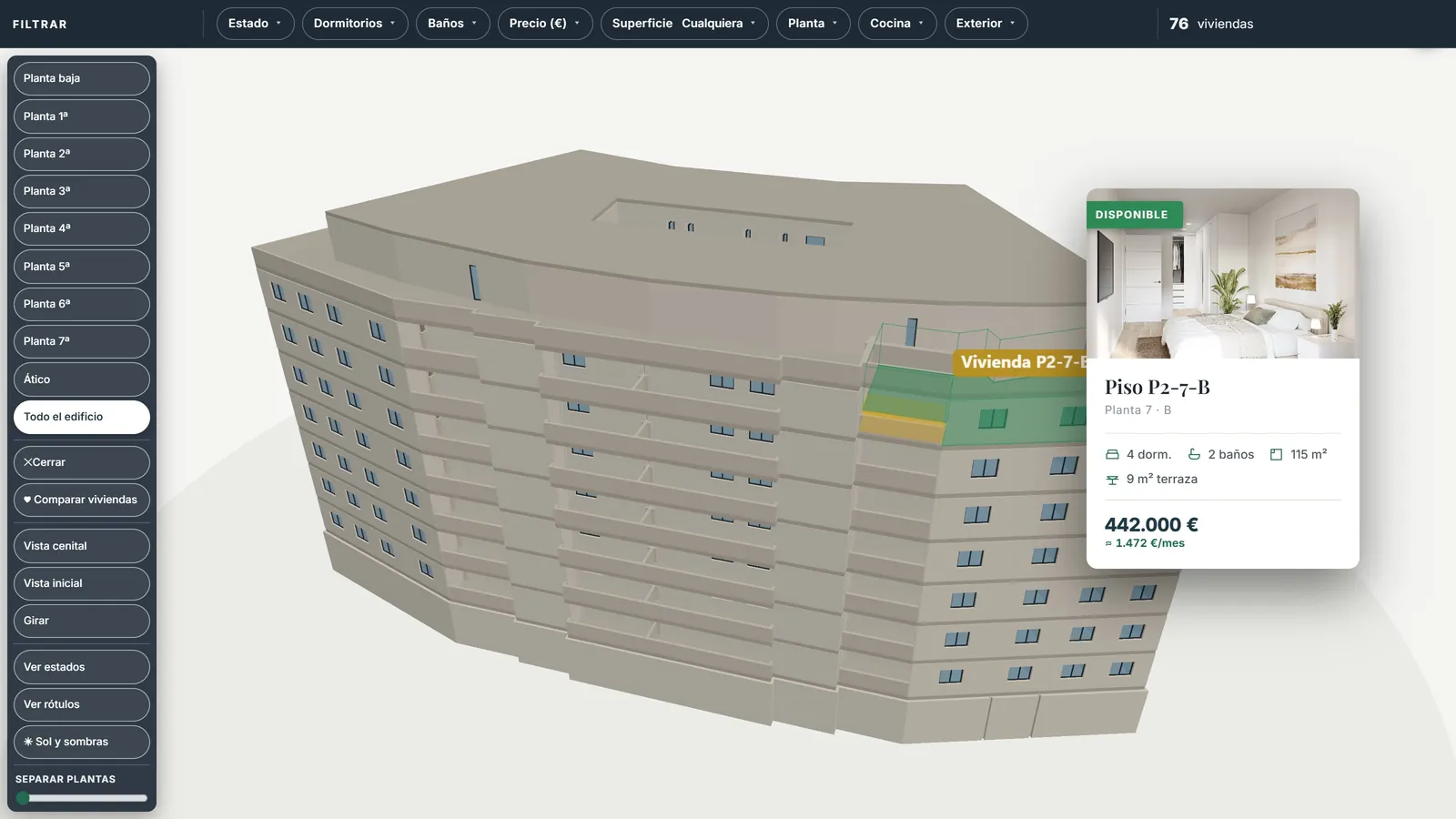
3D building with one home lit up and its card showing status, bedrooms, floor area, terrace, price and monthly payment
Answers · “What is left and where is it?”

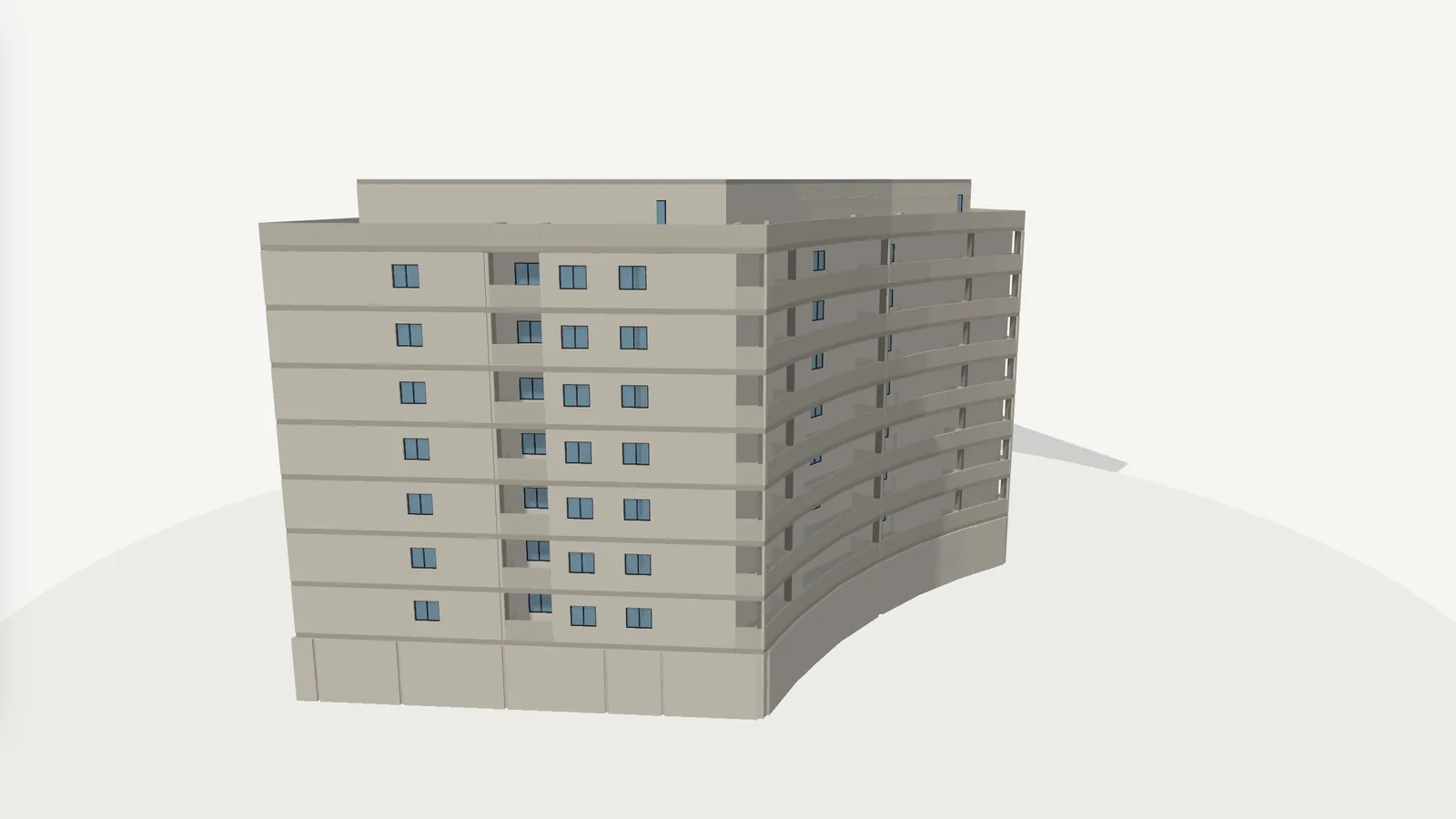
The building in 3D, home by home

The buyer moves the mouse over the building and each home lights up with its card: status, floor, bedrooms, floor area, terrace, price and indicative monthly payment. Filters, availability and floor separation, all connected to the 3D.

3D building · filters · availability More on the interactive 3D building →
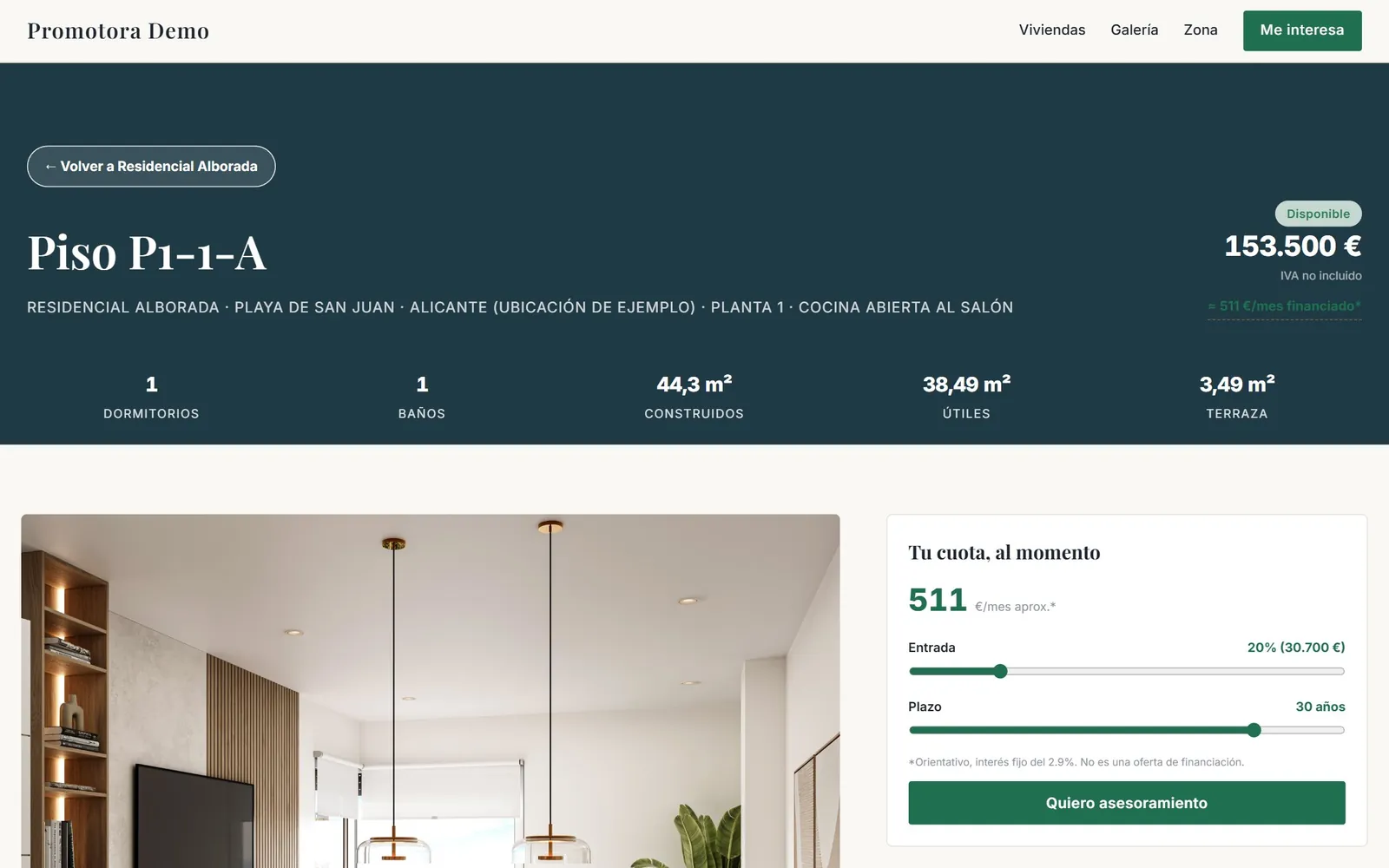
The sheet for one home with bedrooms, bathrooms, floor areas, terrace, price and the calculated monthly payment
Answers · “How much would I pay a month?”

The sheet for every home

Usable and built floor areas, terrace, orientation, description, price, floor plan and a mortgage calculator with deposit and term, and similar homes at the end. Everything can be compared with three others.

Property sheet · plan · monthly payment · comparison More on the comparison tool and shortlist →
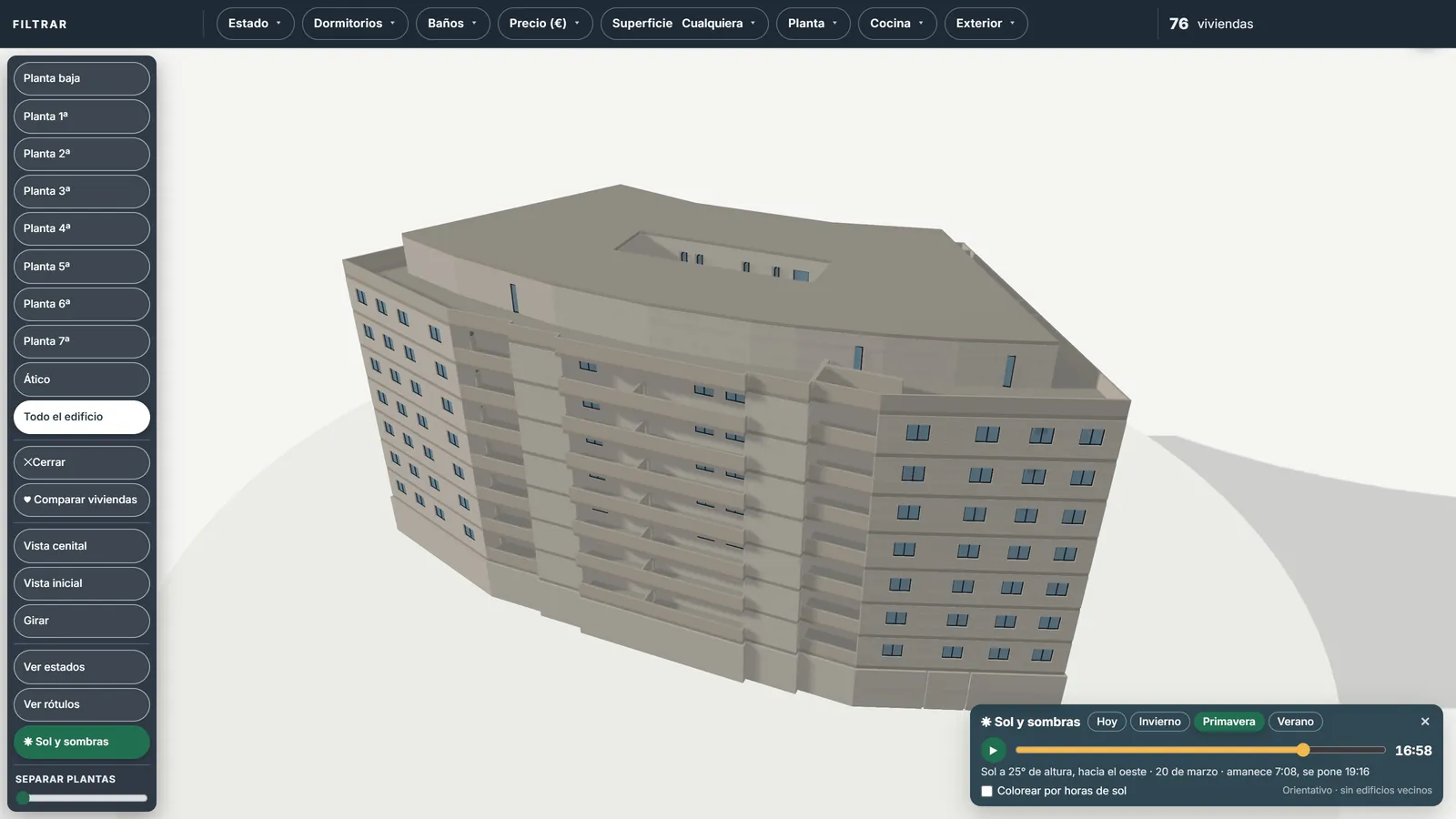
3D building lit by the afternoon sun with the sun and shadows panel
Answers · “Does it get the afternoon sun?”

Sun and shadows with the real sun

Pick a day and a time and the building lights up with the real position of the sun and its shadows. The buyer sees the light in their home in winter and in summer, and the hours of sunlight each one gets.

Sun by day and hour More on sun and shadows →
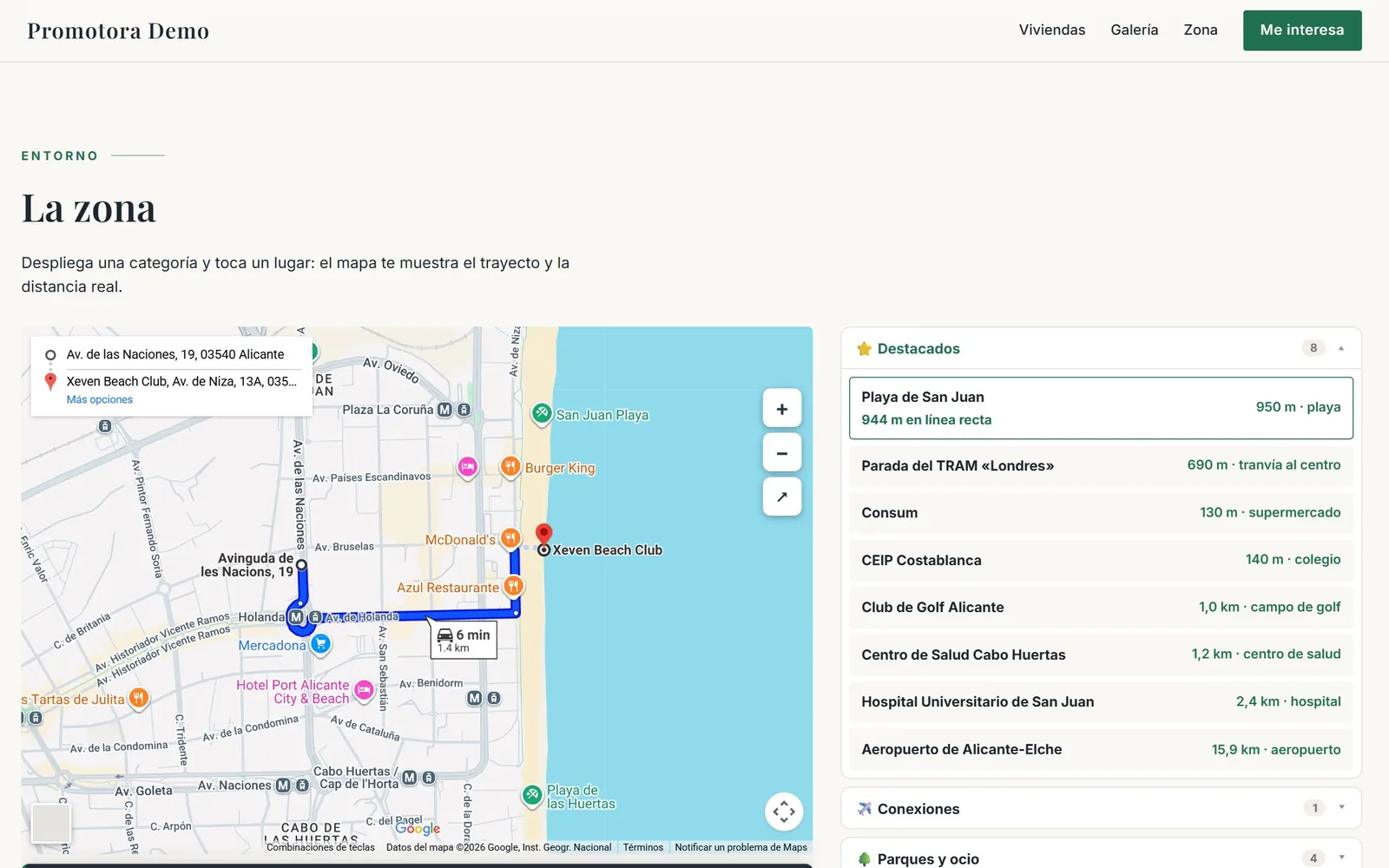
Map of the area with points of interest and the route from the development
Answers · “What is nearby?”

The area, with routes

Schools, transport, the beach, parks and shops on a map organised by category. In the demo there are 33 real points of interest around the example location, with the route and distance from the development.

A map with points of interest
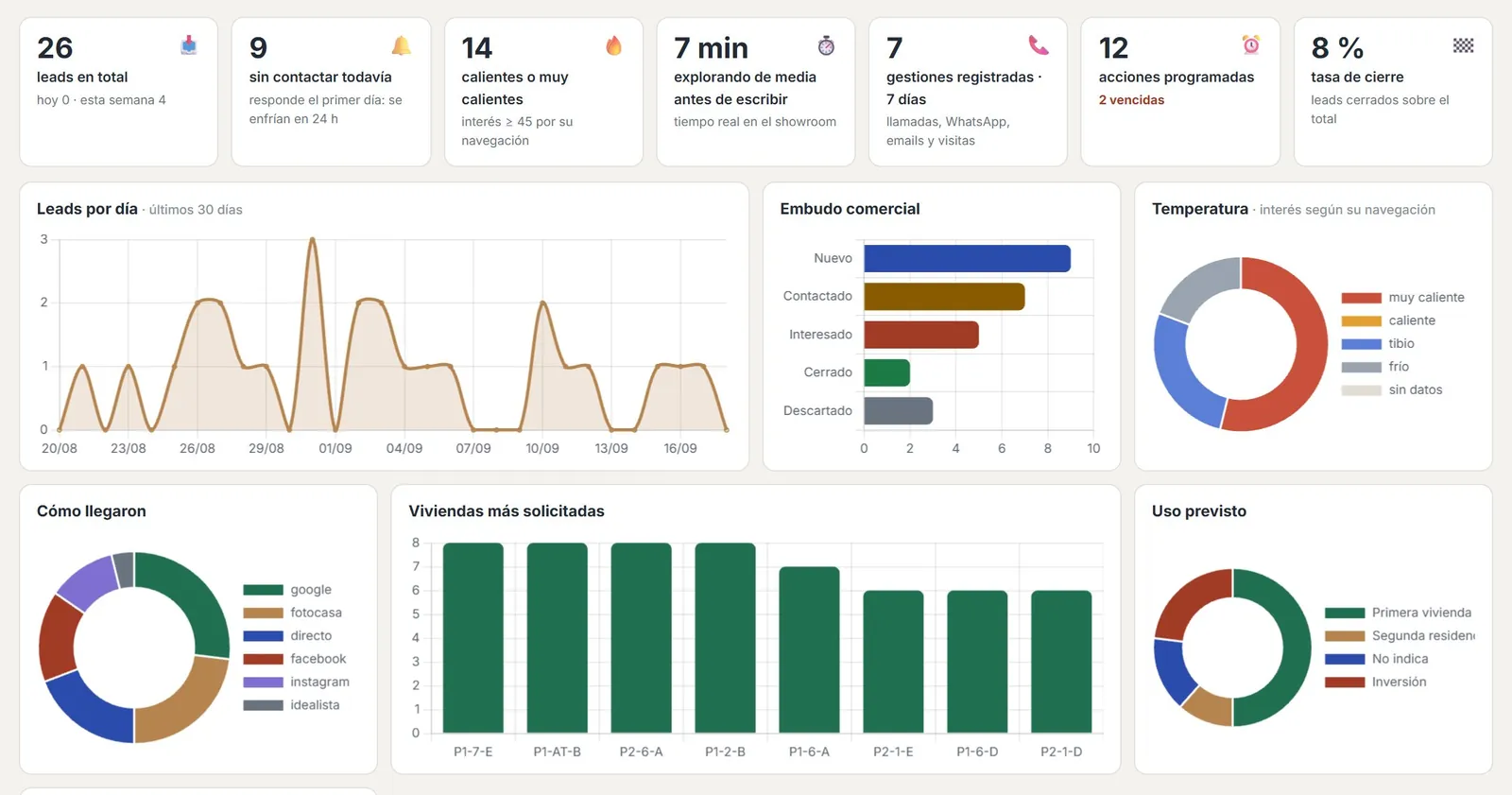
The developer's lead dashboard with demo statistics
Answers · “I am interested”

The contact arrives with what they looked at

The form asks about financing, timing and intended use. The alert reaches you straight away with the homes they looked at, how long they spent and what they calculated, and in the dashboard you follow them with an interest score from 0 to 100, a board and statistics.

The developer's lead dashboard More on qualified leads →
— TRY IT NOW

Walk through it
like a
buyer.

Open the demo and go through it like a buyer: move the mouse over the building, separate the floors, open a property sheet, look at the sunlight in one home and compare three. Residencial Alborada is a fictional development: name, location, prices, availability and contacts are examples.

An open demo, with no password and nothing to install, on desktop, tablet or mobile. Residencial Alborada is a fictional development with example data; if you leave your details in it, they come to us.

— PRICE AND NEXT STEP

Your development, in a showroom like this one

In a 30-minute video call we show you the demo, the developer dashboard with the example leads and how it would look with your plans, your homes and your brand.

A fixed price per development

A set-up fee and a monthly fee for as long as the development is being sold. We study your development and give you the price in writing before we start.

  • What it depends onThe number of homes in three bands (up to 30, 31 to 60 and 61 to 120), with or without the 3D building, and whatever you want to add: sun and shadows, furnished 3D floor plans, an interactive elevation or a new phase.
  • What we provideThe showroom with your development, your brand and your data, embedded in your website, with the lead dashboard and a training session for the sales team.
  • What we ask forFloor plans (DWG, PDF or IFC), the list of homes with floor areas, renders, prices and availability, and your logo. If the development has no images yet, we can also produce renders and animations.

Would you rather talk it through? Call or write on WhatsApp to 662 061 421 or write to grup3d@grup3d.es.

— FREQUENTLY ASKED QUESTIONS

What we
get asked.

What is a virtual property showroom?

It is a website for the development where the buyer walks through the building in 3D, sees each home with its price, its status, its floor plan and its light, compares homes, works out the monthly payment and leaves their details. The developer updates prices and availability from a dashboard and receives every contact along with what they looked at. It can include renders, video and the 360° tour of the show home.

How is it different from a 360° virtual tour?

The 360° tour shows the inside of one home, usually the show home. The showroom shows the whole building with availability up to date, and it is there to help the buyer choose a home and to capture contacts. Your tour, if you have one, goes inside the showroom.

Does it replace the show home?

You do not have to choose. The showroom shows every home from the buyer's sofa and qualifies them; the show home, when there is one, closes the sale. Together they work better than apart.

Does the building have to be finished?

No. We build it from the floor plans (DWG, PDF or IFC) and the list of homes, so it can be used from launch, before the first stone is laid.

What material do you need to start?

Floor plans, the list of homes with floor areas, renders, prices and availability, and your logo. If the development has no images yet, we can also produce renders and animations.

Does the buyer need VR goggles or to install anything?

No. It works in any browser, on desktop, tablet and mobile, and it is shared with a link or embedded in the development website.

Can the buyer choose finishes inside the showroom?

In the demo, the buyer can look at the specification, the gallery and the 360° tour of the show home. If your development offers personalisation options, we look at how to show them in the proposal.

How much does a virtual property showroom cost?

It is a fixed price per development: a set-up fee and a monthly fee for as long as the development is being sold. It depends on the number of homes (three bands: up to 30, 31 to 60 and 61 to 120), on whether it includes the 3D building and on what you want to add, such as sun and shadows, furnished 3D floor plans or a new phase. We give it to you in writing before we start, with no commitment.