Name, company, email and phone
And, depending on the product, the sector or the profile: manufacturer, distributor, installer or private customer. With the privacy box ticked and the date.
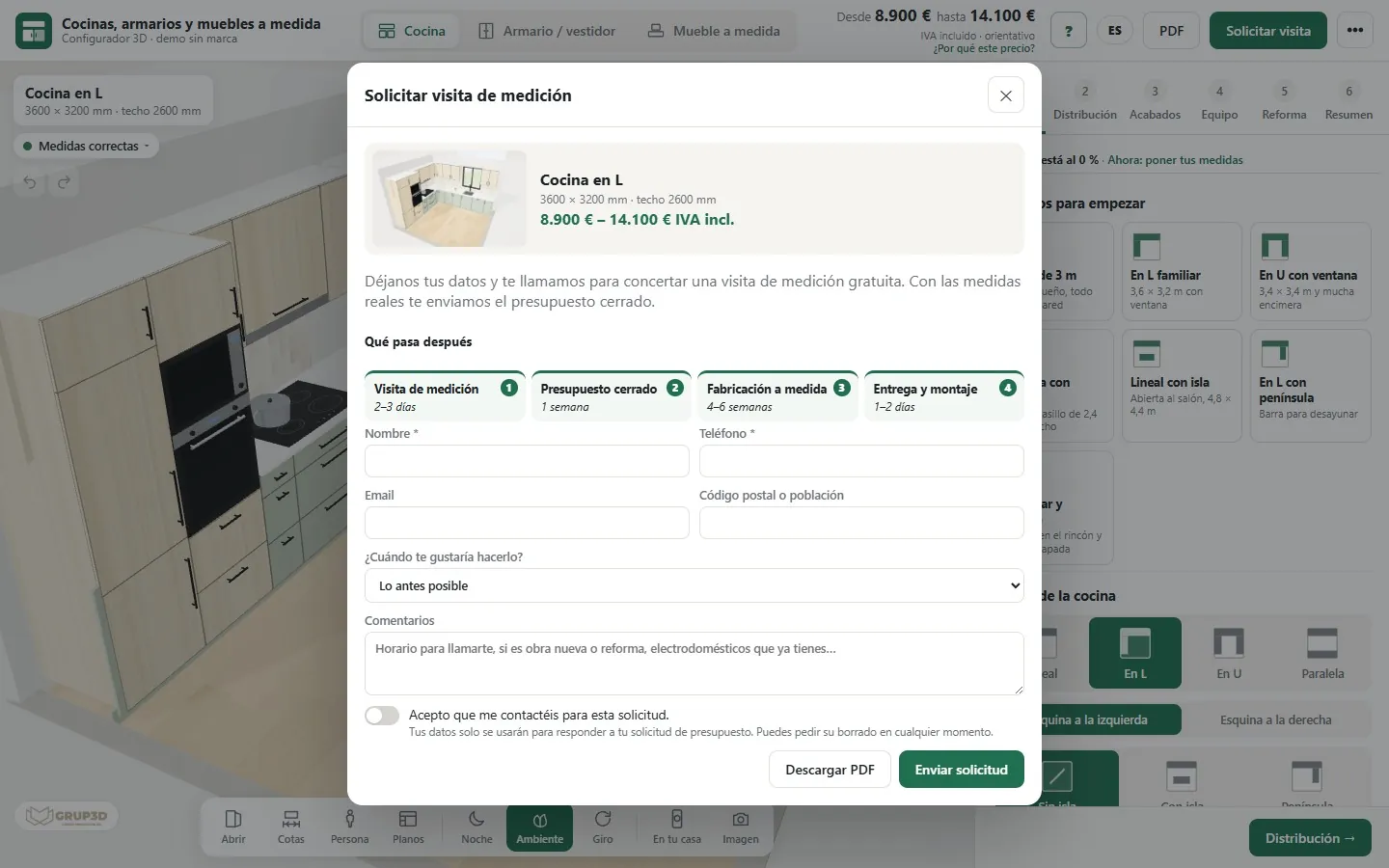
A contact form brings a name and an “I'm interested”. A 3D configurator brings the name, the company, the phone number and what that person has configured over ten minutes: sizes, finishes, extras and the price they have already seen. It is the difference between a lead and a qualified lead. How it is captured, what arrives, who it is assigned to and how it is followed up.
Not because it asks for less data, but because the customer has already done the work before handing it over.
Whoever lands on your website with a terrace to enclose, a kitchen to refurbish or a warehouse to light wants one thing before your phone number: to know whether it fits, how it would look and what it would cost. A form asks for their details in exchange for nothing; a configurator gives them the answer and, once they have it, asks for their details to send them the PDF, book the visit or request samples.
That is why a configurator lead is different. They have spent ten minutes choosing sizes, finishes and extras; they have seen the indicative price and have not left; they have downloaded, or want to download, the PDF. When your sales rep calls, the conversation does not start: it continues. In the kitchen demo, for example, the request for a measuring visit comes out of the configurator with the project already done and the drawings.
And it arrives without friction: the configurator opens in the browser, on the phone or the computer, with nothing to install and no prior sign-up. The details are asked for at the end, when the customer already wants something from you.
In the demo panel, every request arrives like this. In your configurator, the same, in your panel and your inbox.
And, depending on the product, the sector or the profile: manufacturer, distributor, installer or private customer. With the privacy box ticked and the date.
Product, sizes, finishes, extras and the indicative price they have seen. In the technical ones, the order sheet or the cutting list. Every panel with its size and its weight in a sliding door; every high-bay and its lux in a warehouse.
Which configurator they had open, which website they came in from (yours or a distributor's, with their code) and, if it was through a personal link, who they are.
The reason for the request, the message they wrote and, for an order, the project reference, the delivery address and the desired date.
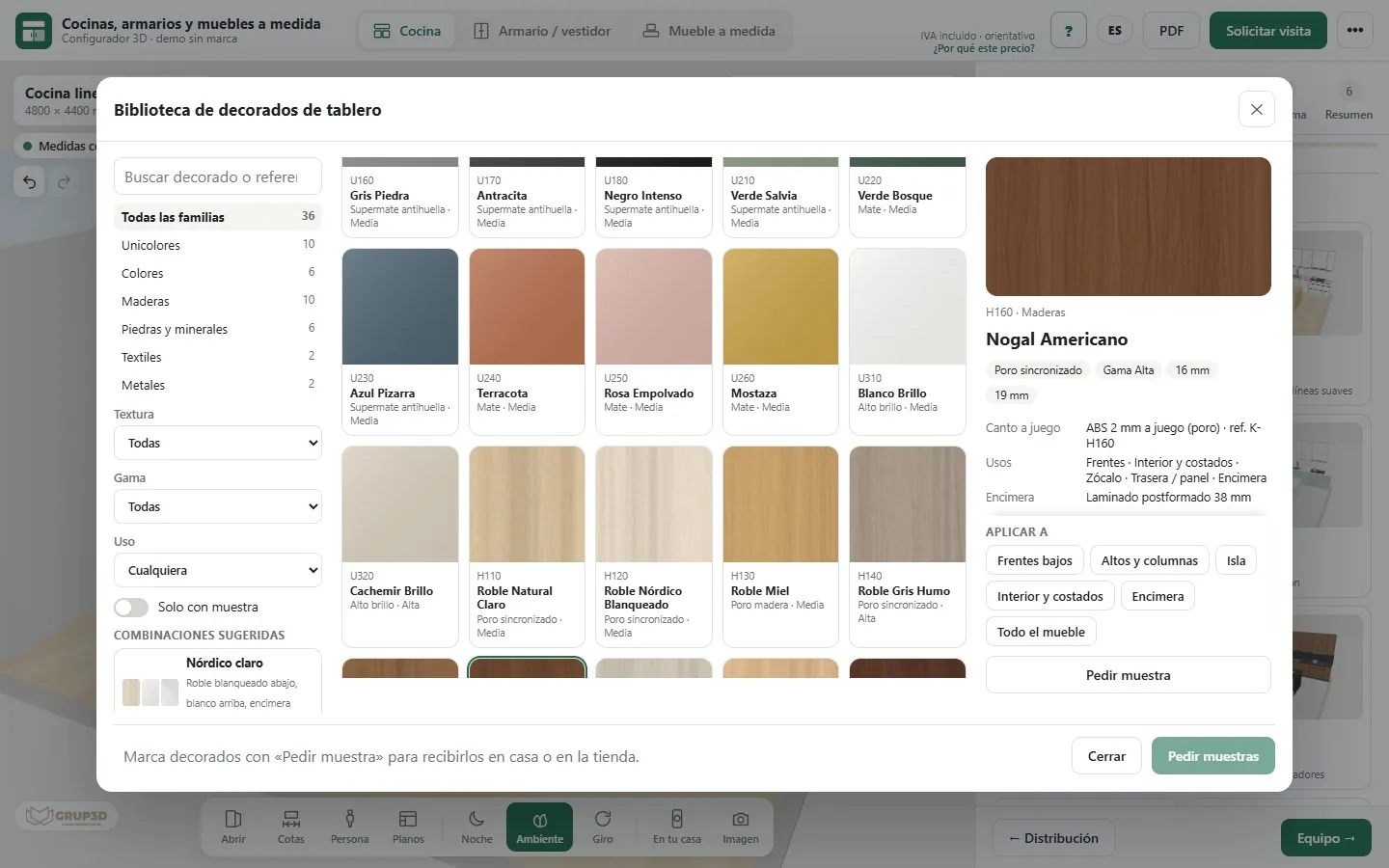
A lead that lands in a shared inbox goes cold. In the configurator you decide who it goes to and how it is shared out.
Every request stays in the panel with its status (new, in progress, closed) and, with an email account set up, also reaches whoever you decide by email. It exports to CSV for your management software; the connection to your CRM is developed in the project.
Requests that come in through your website are assigned by area to the relevant sales rep, shop or installer. In the bedroom demo, the request is assigned to the nearest shop by postcode.
Each distributor or professional has a code with their discount and another for their customers; whatever arrives with their code is in their name, including from the configurator embedded in their own website. In their private area they see their requests, the selling price, their cost and what they keep.
You can import a contact list, generate a personal link for each one and see who came in, for how long, which configurators they looked at and whether they asked for a price. Useful for trade fairs and for campaigns to your customer base.
Four habits that convert more than any change to the website.
A lead is worth something if it is a person and if they have given you permission to contact them.
The details are asked for at the end, when the customer wants something from you, and with the privacy policy box ticked: what they are giving them to you for is recorded. The form carries protection against bots (a honeypot field and a limit on submissions per connection), so that people reach the panel, not lists.
What a customer configures without asking for anything stays in their browser: their configuration is not saved until they send it. And your price list, with cost prices and distributor discounts, never leaves the server: the customer sees their selling price and nothing else.
There are more short answers in frequently asked questions about 3D configurators and who we are in 3D configurator company.
A request that arrives with what the customer wants already defined: product, sizes, finishes, extras and the indicative price they have seen, plus their name, company, email and phone. A contact form brings the second part; a 3D configurator brings both.
Name, company, email, phone and, depending on the product, the profile; the full configuration with the indicative price; the configurator that was open and the website they came in from; and the reason: samples, visit, quote or order. It stays in a panel with its status, exportable to CSV, and reaches you by email if you set up an account.
Requests from your website are assigned by area to the relevant sales rep, shop or installer; those that come in with a distributor's code are in their name. In the bedroom demo they are assigned to the nearest shop by postcode.
It is connected in the project, if you have one: it does not come ready-made; it is developed bespoke. In the meantime, every request stays in the panel with its full configuration, exports to CSV and reaches you by email.
The configurator turns the visitors you already have into requests with measurements; to bring visitors, the product pages and the guides do the work. In the demos, every design is shared by link, image and QR code, and that brings visits from whoever decides: the residents' association, purchasing, the partner.
Development starts from €6,500 for a visual configurator of one product family; most manufacturer projects fall between €14,500 and €35,000, depending on catalogue, rules and integrations, plus maintenance from €190/month. The requests panel, the email alert and assignment by area are at the level with rules and price. Details in the price of a 3D configurator.
Try the whole journey in the open demos, with no sign-up: configure, request the PDF or some samples and see what gets stored in the demo panel. All at configurador.grup3d.es/demo, with sample products and prices.
With your network in front of you? Tell us how many requests reach you today, through which channels and to whom, and in a 20-minute video call we will see how they would arrive with your configurator. No commitment.
Would you rather talk it through? Call us on 662 061 421 or write to grup3d@grup3d.es.
3D configurator for installers: measurements from the site on the phone, price with their margin, augmented reality without an app and the order to the factory without rewriting it.
Read →3D configurator in the shop, the showroom and the trade fair: tablet with kiosk mode, automatic demonstration, offline use and the request assigned to the shop.
Read →The index with one card per configurator, filtered by sector, with their open demos.
Read →For manufacturers and for those who sell without a factory: what we do, how, and at what price.
Read →Price, code, cutting lists, online shop, mobile, AI and every sector.
Read →The three levels, what each one includes and what is priced separately.
Read →