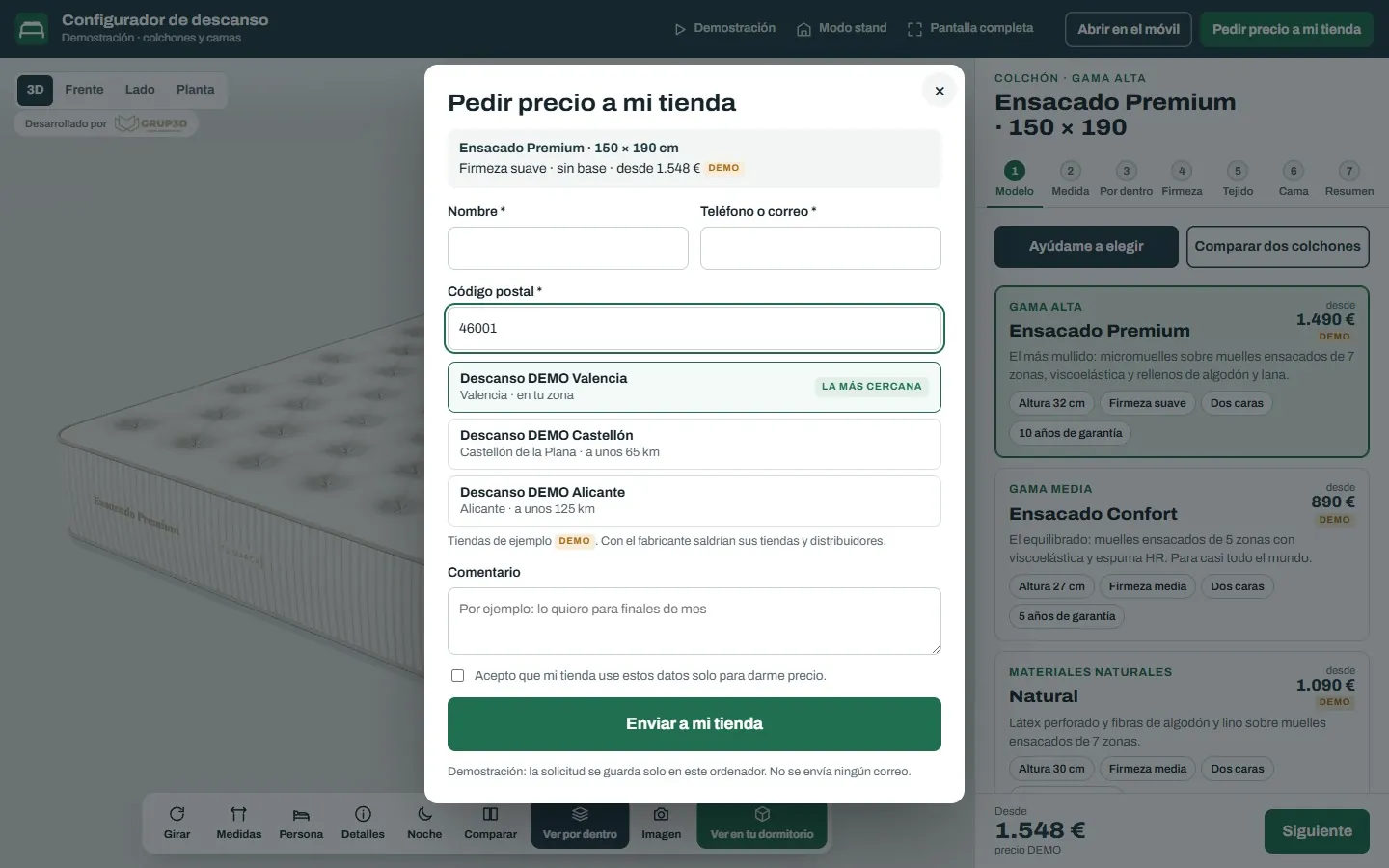
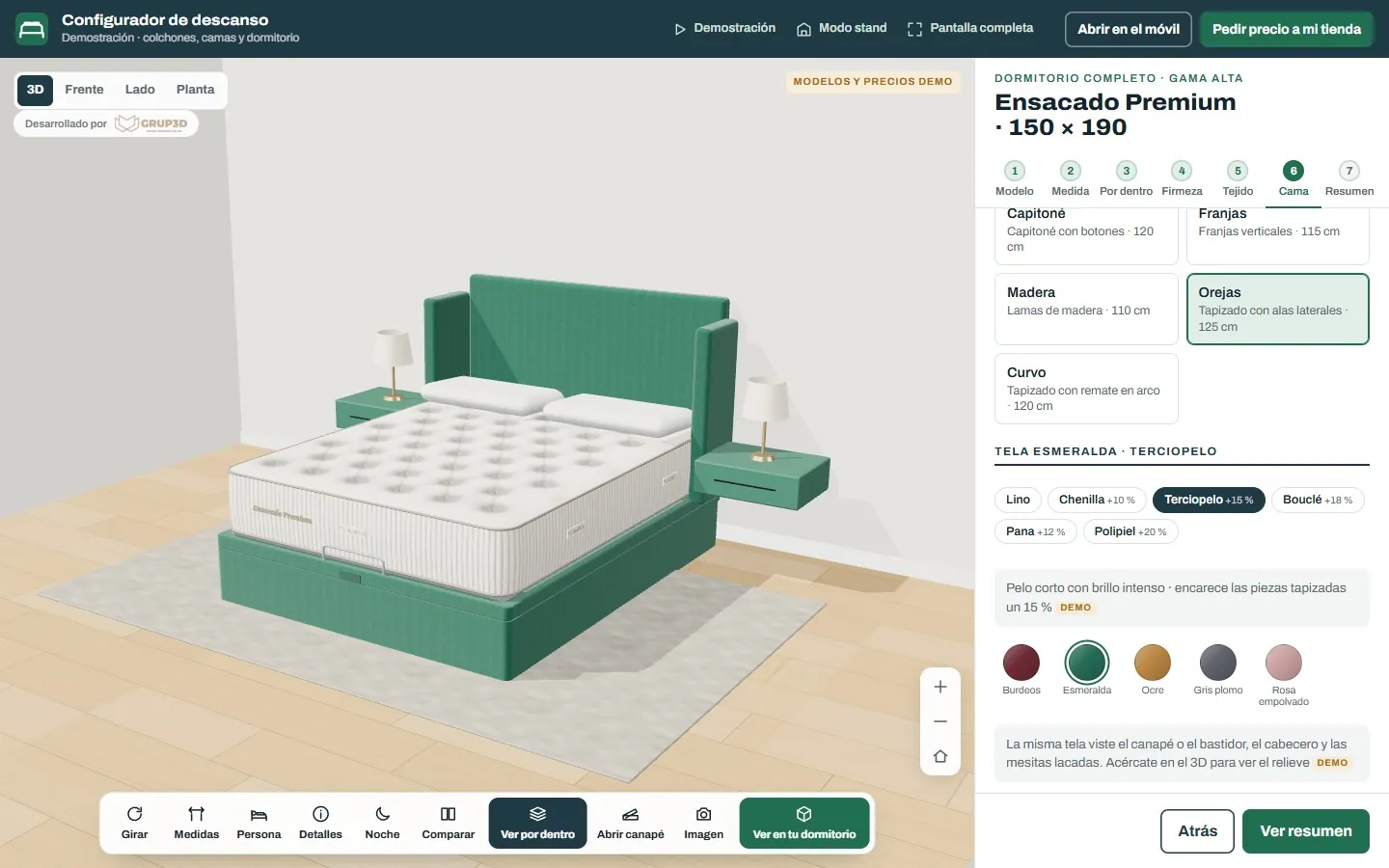
3D mattress configurator from the Grup3D demo in a bedding shop, with the mattress in 3D and the options panel on the tablet
GUIDE · SHOP · TABLET · KIOSK · TRADE FAIR
— GUIDE FOR MANUFACTURERS · 2026

3D configurator
in the showroom
tablet, kiosk and trade fair.

A shop has room for a few made-up beds, a few sofas and a fabric swatch book ten centimetres wide. The rest of the catalogue is sold on paper, and what is not set up hardly sells. A 3D configurator on the shop's tablet, in kiosk mode in the showroom or on the screen at the trade-fair stand puts the whole catalogue in front of the customer, with the manufacturer's rules and price list, and sends the request to the shop that served them.

— IN THE SHOP

What changes
in the shop with a configurator.

The salesperson stops showing a photo on the tablet of a different headboard, in a different colour, in a different bedroom.

Saturday in a bedding shop. A couple have already chosen a mattress and now it is the bed's turn. The wingback headboard they like is on the back wall, in grey; the storage base is in another aisle, in beige; and the fabrics are in a swatch book of little squares. She wants green velvet; he cannot picture a whole headboard in that colour. They take the mattress and say they will think about it.

With the configurator on the tablet, the salesperson builds the whole bed in front of them: the lift-up storage base that opens, the wingback headboard, the “Velvet” family and the matching bedside tables, with the bedroom's light and, if they want, at night. Every fabric carries its surcharge and the indicative price is recalculated. The PDF comes out with the bed as they saw it, and the request is assigned to that shop.

The same in a flooring shop (the floor plank by plank in the customer's living room, with the boxes counted), in a pool showroom (the shell on their plot, with the boundaries) or at an electrical wholesaler (the strip with its power supply calculated at the counter). See the full example in bed and bedroom configurator.

— KIOSK MODE AND TRADE FAIR

Kiosk mode, automatic demonstration
and offline.

Three things a shop configurator has to do and a web configurator does not need.

01 · KIOSK MODE

Returns to the home screen on its own

In the showroom or at the trade fair, the tablet or the screen stays in kiosk mode: when nobody touches it, it returns to the home screen on its own and does not stay on the last customer's configuration or show their details.

02 · AUTOMATIC DEMONSTRATION

For shop windows and trade fairs

A demonstration that runs through the product on its own, changing finishes and sizes, on the screen at the stand or in the shop window. It draws in passers-by and shows the catalogue with nobody in front of it.

03 · OFFLINE

Works even if the network fails

At trade fairs and in shops with poor coverage, the configurator keeps working offline and the request is stored until there is a connection. The bedroom demo has all three: kiosk mode, automatic demonstration and offline use.

3D bedroom configurator from the demo with the fabric families panel and the bed upholstered in velvet
The bedroom demo in the shop: 24 fabrics in 6 families, each with its surcharge, on the whole bed. Sample products and prices.
— FOR THE MANUFACTURER

The same configurator
in every shop.

For the manufacturer who sells through shops, the configurator on the tablet is the showroom that does not fit in any of them.

  1. 01

    The manufacturing rules, in all of them

    Every headboard limited to its sizes and every base to its heights; every fabric with its surcharge. What gets noted down in the shop exists and gets made, and the order arrives complete: model, size, base, headboard, fabric and accessories.

  2. 02

    The price list, with versioning

    A single price list for the whole network, with each shop's surcharges and discounts, which you change from the panel. Every shop quotes with the same version.

  3. 03

    The request, to the shop that served the customer

    Each shop has its user and its code; whatever is configured with it is in its name. Requests from the manufacturer's website are assigned to the nearest shop by postcode, as in the bedroom demo.

  4. 04

    The viewer on the product page

    The same 3D serves to show the mattress from the inside, layer by layer, on the product page of the manufacturer's website, and the configurator on each shop's website with one line of code.

— WHERE IT FITS

Where a shop configurator
fits.

In any product that is sold in a showroom and made to measure or with many options.

— SHOPS AND SHOWROOMS
  • Bedding and upholstered furniture: beds, storage bases, headboards, sofas with their fabrics. See sofa configurator.
  • Kitchens, wardrobes and bespoke furniture: the customer's kitchen with its sizes and finishes, with drawings and a proposal in PDF. See kitchen and wardrobe configurator.
  • Flooring and tiles: the floor or the tile laid in the room, with boxes and wastage. See flooring configurator.
  • Bathroom: made-to-measure shower trays and screens, furniture that fits the space. See bathroom configurators.
— COUNTERS, TRADE FAIRS AND STANDS
  • Electrical wholesalers: the strip with its power supply, the enclosure with its mounting plate, at the counter with the customer in front of you. See lighting and energy.
  • Pool and outdoor showrooms: the shell on the plot, the pergola on the terrace, on the salesperson's tablet. See outdoor.
  • Industrial trade fairs: the machine or the shelving being configured on the stand's screen, with automatic demonstration, and the trade-fair requests in the panel. See virtual industrial showroom.
— FREQUENTLY ASKED QUESTIONS

What we get asked
by shops and manufacturers.

There are more short answers in frequently asked questions about 3D configurators and who we are in 3D configurator company.

Does it work in the shop without internet?

Yes. It has kiosk mode, automatic demonstration and offline operation, designed for tablets in shops and for trade fairs. Requests are stored and sent when the connection returns.

What is kiosk mode?

A mode for showroom tablets and screens in which the configurator returns to the home screen on its own when nobody touches it, without leaving the last customer's configuration or details on view, and with an automatic demonstration that runs through the product for shop windows and trade fairs.

Does each shop see its price and receive its requests?

Yes. Each shop has its user and its code, with its discount and its margin if it resells, and whatever is configured with it is in its name. Requests from the manufacturer's website are assigned to the nearest shop by postcode.

Are the fabrics and finishes ours?

In the demos the textures are our own, as samples. In your configurator go the photos of your fabrics, decors or finishes, with their names, families and surcharges; they are loaded from your catalogue with a template and updated without touching the design.

Does it work for hotels and large orders from the shop?

Yes. The hotel order lets you state how many beds of each size are needed and generates the order sheet in PDF with the price list's volume discount, for the sales team to confirm.

How much does a shop configurator cost?

Development starts from €6,500 for a visual configurator of one product family; most manufacturer projects fall between €14,500 and €35,000, depending on catalogue, rules and integrations, plus maintenance from €190/month. Kiosk mode, the automatic demonstration and the per-shop area are at the level with rules and price. Details in the price of a 3D configurator.

— OPEN DEMO

Try it now
or see it with
your range.

Try the bedroom demo on a tablet, with kiosk mode, automatic demonstration and offline use, and the others, with no sign-up and with sample products and prices, at configurador.grup3d.es/demo.

With your shops in front of you? Tell us how many there are and what fits in the showroom today, and in a 20-minute video call you will see the configurator with your range and your fabrics on a tablet. No commitment.

Would you rather talk it through? Call us on 662 061 421 or write to grup3d@grup3d.es.