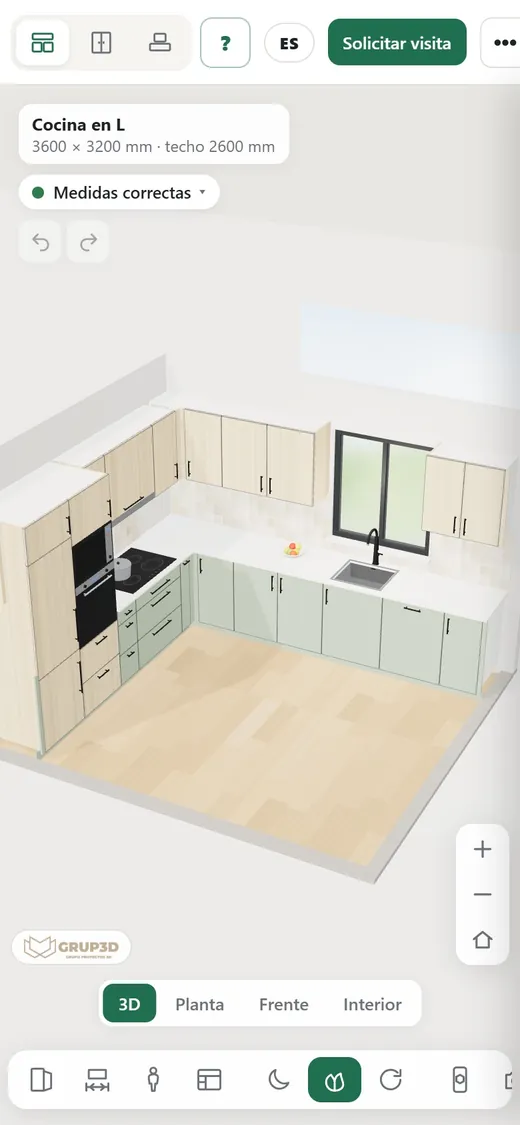
3D kitchen and wardrobe configurator from the Grup3D demo embedded in a page and open on a phone
GUIDE · WORDPRESS · SHOPIFY · PRESTASHOP · BESPOKE WEBSITE · ONE LINE OF CODE
— GUIDE FOR MANUFACTURERS · 2026

Embedding a 3D configurator
in WordPress, Shopify
or in your bespoke website.

There is no need to rebuild the website or change platform. The configurator is embedded in the website you already have with one line of code, the way a video is embedded: on its own page, on the product page, in the online shop and on each distributor's website with their code. Where that line is pasted in WordPress, Shopify, PrestaShop and a bespoke website, how much space it takes, how it loads on the phone and what to look at regarding security, cookies and tracking.
— ONE LINE

One line of code,
on any website.

The configurator is not installed on your website: it is displayed inside it.

The line of code opens a frame inside your page in which the configurator loads from our server, just as a video from a video platform is shown inside an article. Your website does not change: not the template, not the menu, not the rest of the pages. The configurator adapts to the width of the column you put it in, on desktop and on mobile, and updates on its own when you change the price list or the finishes from the panel.

If you want it to live at an address of yours, it can also go on a subdomain of your domain, with your brand and no trace of ours. And if your online shop has to receive the configuration in the basket, that is connected in the project: the embedding is the same. See 3D configurator in WooCommerce, Shopify and PrestaShop.

— BY PLATFORM

Where it is pasted
on each platform.

Five minutes on any of them. If your agency maintains the website, you send them the line and they do it.

WORDPRESS

A custom HTML block

On the page or post where you want the configurator, add a “Custom HTML” block and paste the line. For it to appear on every product page of a family, it goes in the product page template or in a product field the template displays.

SHOPIFY

A section or the product template

On a page, with a custom HTML section; on product pages, in the product template, so that each product opens its configurator with its reference. Passing the configuration to the basket is connected in the project.

PRESTASHOP

A content page or the template

On a content page with the editor in code mode, or in the product page template. Same as the others: the line, and nothing else.

BESPOKE WEBSITE

Wherever your developer wants

It is pasted in the template or the relevant page. If your website restricts external content for security, frames from our domain have to be allowed: one line in the server configuration that your developer knows.

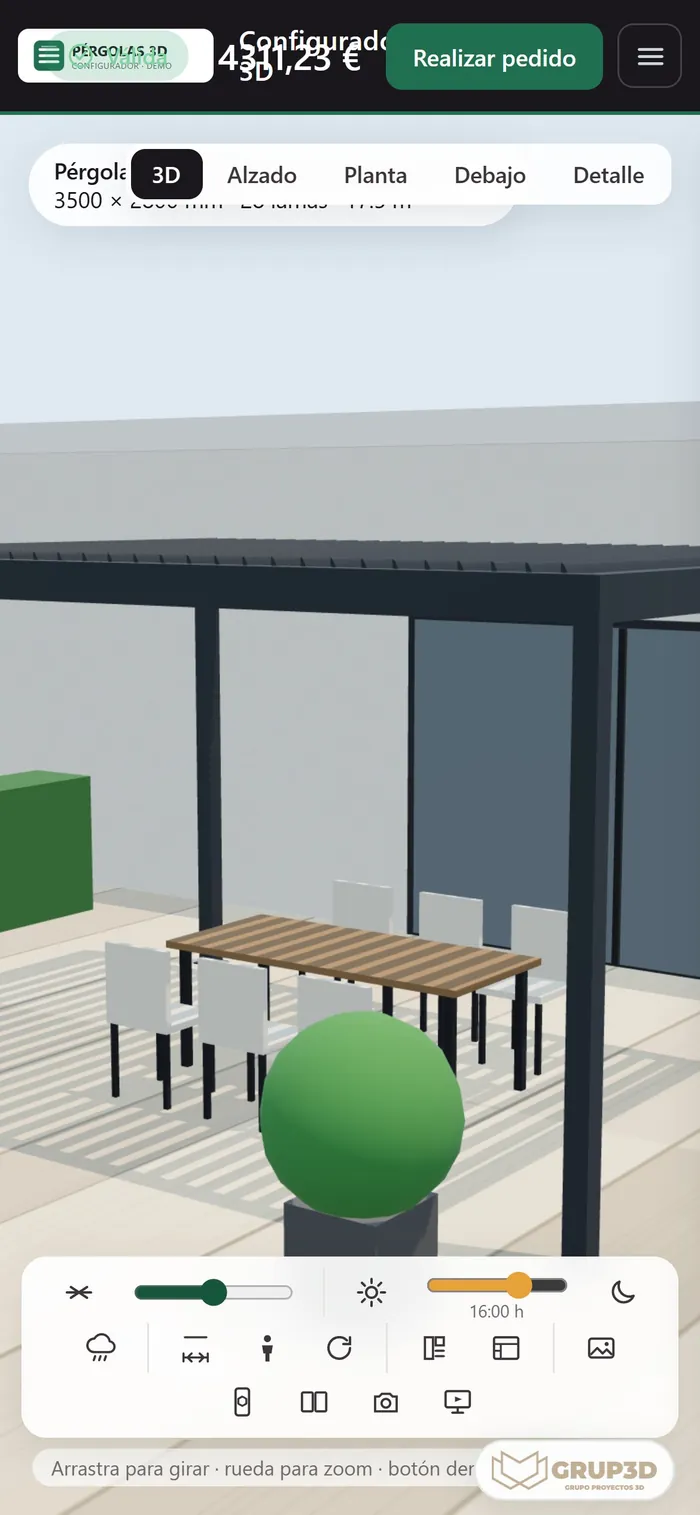
3D pergola configurator from the Grup3D demo open on a phone, adapted to the screen width
The same line of code on the phone: the configurator adapts to the width of the column it is embedded in. Pergola demo.
— WHERE TO PUT IT

Where to put it:
page, product page, shop and network.

Four places, from most to least common. Almost every manufacturer ends up with all four.

  1. 01

    Its own page: “Design your product”

    A page in your menu with the configurator and, around it, the text the search engine needs: which product, who for, sizes, questions. It is the one that ranks. See 3D configurators and SEO.

  2. 02

    The product page

    Each product page opens the configurator straight at its family or its reference. For products with few options, a 3D viewer on the product page is enough. See 3D product viewer for your website.

  3. 03

    The online shop

    The same embedding; what changes is that at the end, the configuration passes to the basket with its price and its reference, and that is connected in the project with your platform. See 3D configurator for online shops.

  4. 04

    Each distributor's website and the tablet

    Each distributor embeds the line with their code in their website: whatever is configured there is in their name and comes out with their brand. On the shop's tablet the address is opened directly, in kiosk mode. See white-label 3D configurator for distributors.

— WHAT TO LOOK AT

What to look at:
speed, mobile, security and tracking.

Four things developers and website managers ask about before pasting the line.

— SPEED AND MOBILE
  • Loads when it is seen: the page opens at its usual speed; the configurator loads when the visitor reaches it. The search engine measures the first.
  • Light model: made for the phone's browser, not the factory file.
  • At the column's width: on mobile it takes the width of the screen and the panels rearrange; augmented reality opens from the same frame.
— SECURITY, COOKIES AND TRACKING
  • Security: if your website restricts external content, our domain is allowed in the server configuration. It is the only thing that sometimes has to be touched.
  • Cookies: the configurator stores the configuration to recover it by link; your cookie notice is still your website's and in the project we review what is stored and what is not.
  • Tracking: what happens inside the configurator (family opened, step abandoned, request sent) can be sent to your analytics so you see it with the rest of the website.
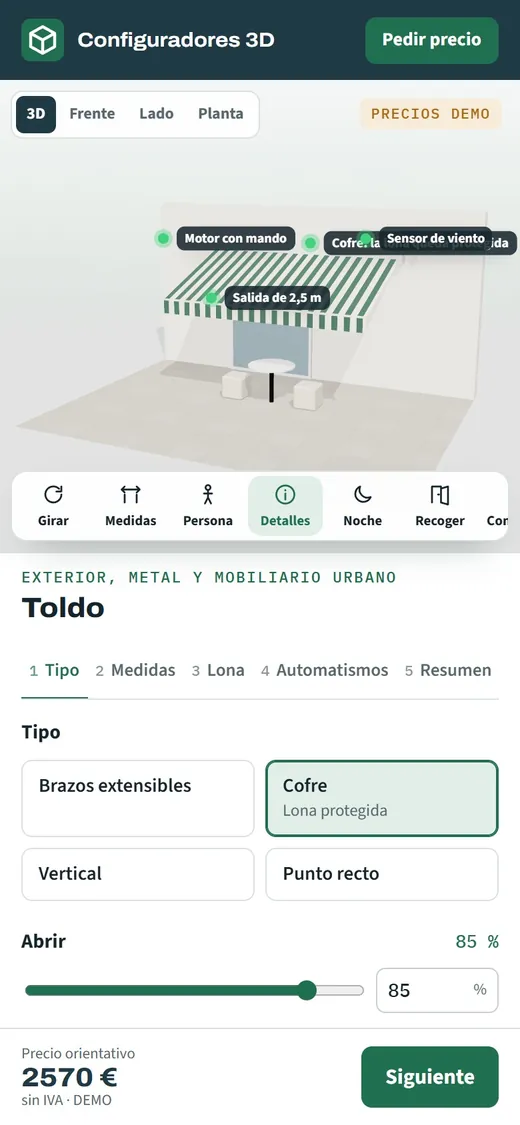
3D awning configurator from the Grup3D demo open on a phone with the awning extended and the options
The awning demo on the phone, inside a page: the panels rearrange to the screen width.

Development starts from €6,500 for a visual configurator of one product family; most manufacturer projects fall between €14,500 and €35,000, depending on catalogue, rules and integrations, plus maintenance from €190/month. Embedding it in your website and in the network's is part of the project; the connection to the online shop's basket is priced once we see your platform.

— FREQUENTLY ASKED QUESTIONS

What we get asked
about embedding.

There are more short answers in frequently asked questions about 3D configurators and who we are in 3D configurator company.

Do we have to change the website to put the configurator on it?

No. It is embedded in the website you already have with one line of code, like an embedded video, in WordPress, Shopify, PrestaShop or a bespoke website. Neither the template nor the rest of the pages change.

Where is the line pasted in WordPress?

In a “Custom HTML” block on the page or post where you want the configurator. For it to appear on every product page of a family, in the product page template or in a field the template displays.

And in Shopify or PrestaShop?

In Shopify, in a custom HTML section of a page or in the product template; in PrestaShop, on a content page with the editor in code mode or in the product page template. Passing the configuration to the basket is connected in the project.

Does the configurator slow down our website?

No: the page opens at its usual speed and the configurator loads when the visitor reaches it, with a light model made for the phone's browser.

Can it go at an address on our domain?

Yes. As well as embedded in your pages, it can live on a subdomain of yours, with your brand and no trace of ours. The shop's tablet opens that address directly, in kiosk mode.

How much does it cost to embed the configurator in our website and in the distributors'?

It is part of the project. Development starts from €6,500 for a visual configurator of one product family; most manufacturer projects fall between €14,500 and €35,000, depending on catalogue, rules and integrations, plus maintenance from €190/month. The connection to the online shop's basket is priced once we see your platform. Details in the price of a 3D configurator.

— OPEN DEMO

Try it now
or see it with
your range.

The open demos open at their own address and can be embedded in any page with the same line; try them on your phone, with no sign-up and with sample products, at configurador.grup3d.es/demo.

Want to see it inside your website? Send us the address of a page or a product page and in a 20-minute video call we will show you how the configurator would look embedded in it. No commitment.

Would you rather talk it through? Call us on 662 061 421 or write to grup3d@grup3d.es.